Throughout the year, Lunar Client has changed drastically, with tons of unique features and mods being implemented, transforming the client as we know it. As a result, we’re making this article a special edition of the Lunar Recap, where we’ll be recapping 2025 on Lunar Client, highlighting key changes and updates to the client throughout the year.
So, whether this is your first time hearing about us, or you’ve been with the client, sit back, put your reading glasses on, and let’s go over the past year on Lunar Client!
January
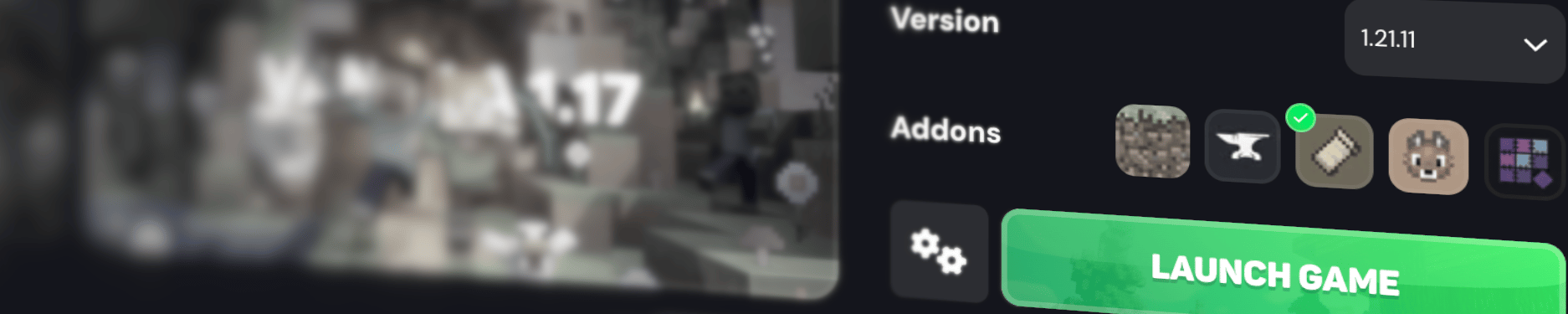
Starting the year off strong, we massively improved the mod-loading experience by implementing built-in support for NeoForge and Quilt directly into the launcher, finally allowing users to seamlessly use thousands of new mods. From adding new items to enhance your vanilla experience, to completely changing up how your player model looks whenever you're playing the game, there’s definitely a mod out there that fits what you’re looking for—and you can use these mods seamlessly all within the Lunar Client Launcher, allowing you to avoid the hassle of installing a modding platform with the vanilla Minecraft Launcher.
On the topic of changing your player model, we’ve recently implemented several features to our cosmetics system that allow you hide your player model’s limbs as well as to see certain cosmetics while in first person. This means that you can now see Wristwear accessories and Suits in first person, alongside a few other cosmetics that we’ve released this year.
February
In February, we added support for CurseForge in our Launcher, allowing you to use your more of your favorite mods with the Lunar Client Launcher. All you have to do is copy the URL for your mod into our Explore page and then click the search button. From there, you can seamlessly download and install whatever mod or modpack you’re looking to play with. Also during February, our SkyBlock Mod received the first of many updates, which included a huge upgrade to the Dungeon Map feature, which was later improved again to during our “BetterMap” update in July, but more on that in just a bit. Together, these updates allow for quicker navigation throughout any dungeon, and makes clearing rooms or finding your friends even easier.
February also saw the integration of the Simple Voice Chat mod into Hosted Worlds by default, allowing you to easily speak with your friends while playing on Hosted Worlds without the hassle of installing and setting up the mod.
Finally, we also implemented a new Combat Module inside of our Apollo Server API, allowing modern servers to implement legacy-style PvP with just a few lines of code. Updates like these allow us to work towards bringing the competitive scene of Minecraft together, and open up the door to new possibilities that weren’t possible in Vanilla Minecraft, or on other modified 3rd-party clients.
March
During March, Lunar Client acquired Badlion Client, a move that has helped unite the two communities under one unifed launcher. The acquisition allowed Lunar Client to add several talented developers to its team, allowing for the implementation of various cool features throughout the latter half of 2025. With the merge of the two clients, we hope to make Lunar Client the one-stop-shop for all your Minecraft needs. We also had the opportunity to bring some fan-favorite features from Badlion Client over to Lunar, including a plethora of Skyblock features which will be discussed later on. You can learn more about Lunar Client x Badlion here.
April
The next few months were critical in terms of Skyblock updates. First, we added custom waypoints accessible on all Dungeon floors. This simplifies things for those with tricky setups that you need to remember exact positions for. Creating custom waypoints is as easy as enabling the mod, setting up a keybind, and then looking at the block you want to mark. The waypoint will be permanently saved for you whenever the same room appears in a Dungeon. Next, we integrated the Skyblock Wiki directly into our Mission Control Menu, allowing you to easily access the wiki to look up anything that you may be confused about. Mission Control launch alongside your game by default, but you can always reopen it in the top right corner of your Launcher after your game is opened. From there, you can click on the Hypixel Button in the Sidebar to access the entire SkyBlock Wiki all without having to open your browser.
This month, we also released Jams, a brand new cosmetic-type allowing you to play music while emoting. Since the release of Jams, we’ve added dozens of popular tracks from some of your favorite artists, like Drake, Kendrick Lamar, Mac Miller, Olivia Rodrigo, and so many more.
May
In May, we focused on various quality-of-life updates for our Skyblock players, which aimed to improve players’ experiences fighting the Blaze Slayer. This included a new HUD as well as a set of alerts for Fire Pillars during the fight, ensuring that players do not miss these important events. These updates also included the option to color the boss based on the attunement required to attack it, as well as the option to hide boss particles to help with visibility during the fight.
During this month, we also released the TierTagger mod, allowing you to see other players’ PvP tier on popular PvP tier websites—such as pvptiers.com—in nametags.
June
We started off June by covering Kuudra, the last of the main Skyblock bosses. Waypoints for all of the main fight objectives—such as supplies, fuel cells, and unfinished builds—were added. We also implemented alerts and messages for different stages of the fight, letting you know when certain events—like the ballista being built and fueled, the Kuudra being stunned, and when a dropship is approaching. Furthermore, we also added messages that will be sent by you to your teammates to alert them of various events, such as your mana being drained or a supply crate not spawning. Aside from Kudra, we also improved our Skyblock fishing features, with one of the additions being a customizable Sea Creature Alert System. This system allows you to toggle which creatures should trigger an alert, the color of the alert, and whether the alert should trigger a sound. On top of this, we also added a locator to find hotspots with your Hotspot Radar as well as some minor tweaks like hiding players near your bobber and a marker that informs you when it’s time to reel in your rod.
Lastly, in terms of Skyblock, we released our official Hypixel Skyblock modpack that is easily accessible from within the Lunar Client Launcher. Simply head over to the modpacks tab within the version selector, then open the Hypixel Skyblock for Lunar Client modpack. Inside of the modpack, we’ve compiled almost every third-party mod you’ll need to truly have the best experience on SkyBlock when playing on modern versions. And the best part, like with any other modpack supported through our standard mod-loading feature, you’ll still have access to all of the normal features in Lunar Client, including our very own built-in SkyBlock Mod.
Next up, we dropped a massive locker UI redesign, that completely overhauled our cosmetic locker with a fresh new look. We also hosted our inaugural Gift Gauntlet event in June. This bi-annual event brought several cosmetics that players could earn through Gift Milestones, depending on how many cosmetics they gifted to other players. Not only that, but by competing in the event, players earn points which place them on the leaderboards, for a chance to win fully exclusive cosmetics, and even be able to design their very own.
June also saw the release of the Inventory Mod, which allows players to lock their inventory slots to prevent accidentally dropping valuable items. The mod also allows users to bind hotbar slots to different parts of the inventory to make swapping out essentials a breeze. These features are more commonly used on game modes such as SkyBlock, however rather than limiting their use by adding them to the SkyBlock Mod, we developed the Inventory Mod since it can still be beneficial across all of Minecraft.
July
In July, we released the Kill Sounds mod, giving you the ability to customize the sound that plays whenever you get a kill. We also started porting over some of the most popular features from Badlion Client. We also added the ability to launch either Lunar Client or Badlion Client directly from the same Launcher, bringing players from both communities together! On top of this, our SkyBlock Mod received its first handful of ports, that being the new BetterMap feature built right into the Lunar SkyBlock mod, as well as Badlion’s Water Solver feature. Then, we added a new Spirit Leap Menu, which makes hopping between teammates during stressful moments much easier.
We also participated in some massive collaborations this month, those being with Jakura and with several members of LifeStealSMP. Not only were we able to bring JasonTheWeen and Sakura to Japan and let players follow them with exclusive cosmetics in-game to celebrate, but we also worked to create cosmetics for every single member of the LifeSteal SMP in our partnership with them. These were both huge collaborations for July, and we can’t wait to get players involved with even more creators in the future.
August
Moving onto August, the team released two new mods, as well as another feature for our SkyBlock fans. We started off with the introduction of the Subtitles Mod, bringing subtitles to every version, with the ability to fully customize how it looks. The Mob Size Mod was also released, which lets you control the size of different mobs in the game—including players! Jumping back to Skyblock, we implemented a new keybind for instantly teleporting to pests when in the garden.
September
In September, we released a Rewind is our in-house capture and editing system, allowing for anyone to jump right in and start creating content in Minecraft, even if you don’t have experience with any other capture mods. All you have to do is start recording from your current moment, or capture up to 10 minutes in the past using Shadow Rewind. Then, just open up our Editor from the main menu, and create the machinima of your dreams, or just relive some of the funniest moments with your friends.
We also introduced the Explore Page inside of the Launcher, which allows players to browse and install virtually any Minecraft modpack, resourcepack, shaderpack, and datapack all without ever having to leave the Launcher. It’s as easy as opening the Explore page, finding the mod you're looking for, and then clicking install.
September was also massive in terms of Skyblock updates. Primarily, we focused on Floor 7 and Master Mode 7 inside of Dungeons with the addition of the Terminal Status HUD, Terminal Waypoints, and Tick Timers. However, even if you aren’t playing either of these floors, you’ve probably still been able to benefit from these updates because they’ve added the ability to trigger a sound whenever a secret is collected, an option to hide the nametags of non-starred mobs, a new Invincibility HUD, and a few other Quality of Life changes for the rest of Dungeons.
October
Now, as we dive into the Spooky Season for the year, the developers really turned it up a gear, as October was one of the most packed months. Starting out strong was the first of our dedicated Badlion Parity Updates, which had too many SkyBlock additions for us to list in this blog post. Not only that though, but we also brought over a bunch of performance updates from Badlion, which resulted in some of our testers reporting their FPS being doubled on 1.8, and a nearly 50% increase on later versions.
We also fully redesigned our online Store, allowing for easier navigation when looking for specific cosmetics, and of course a much better looking design. For more information, you can check out this article.
We also put out a brand new type of cosmetic this month, that being Badges. These are a unique type of cosmetic though, as they can’t be obtained from our Store, and are instead given out to players for participating in various events across the client, such as the Advent Calendar or Gift Gauntlet.
Finally, we also released the Markers Mod on the client, allowing you to let your friends and teammates know about potential threats that are coming in hot, or if you just need to point out something your teammates need to see. We hope this mod will allow for enhanced communication between your and your teammates and friends.
November
Starting off November, we introduced a brand new way to pay for cosmetics to the client: Coins! Coins allow you to directly buy or gift a set amount to your friends, which can then be used to purchase nearly anything on our Store. They also give you a nice little discount whenever you check out using them, as well as bonus coins when purchasing them. For more information, read our article here.
We also released two brand new cosmetic types this month: Companions and Sprays. Companions, are a new style of pet that follows you around almost like your vanilla animals in-game. On the other hand, Sprays are a unique cosmetic that modifies the world by allowing you to ‘spray’ designs directly onto the Minecraft world, letting you feel like a true graffiti artist.
Lastly, our Skyblock players received a popular feature built-in to our mod directly, letting them now view Auction House and Bazaar prices inside of Item Tooltips, as well as a bit of extra information while holding shift.
December
December was also a huge month for Lunar Client, with various events and updates being released. However, with such a large amount of additions to the client already being discussed above, we didn’t want to tire you with a recap of the final month of the year. So to catch up on December on Lunar Client, you’ll need to check out Lunar Client Recap #21 here.
Conclusion
We want to extend a deep thank you to all of our users who made our 2025—Lunar Client truly wouldn’t be what it is today without all of you! We have so many plans for the client in 2026 and cannot wait to share them with you throughout the coming year. Happy New Year, and here’s to an even better 2026!
As always, if you have any questions or are experiencing issues with your client, create a ticket on our Support Website or join the Lunar Client Discord server! If you are unsure of how to create a ticket, please view the Lunar Client Support Guide.
