
We’re back with Lunar Recap #21, the final installment of the series for 2025! This month, we shipped a few minor Launcher updates whilst mainly focusing on Lunar Client mod improvements for our Skyblock players. This month has also been relatively event-heavy, so we’ll be recapping the various Lunar Client events that occurred throughout December.
You can also check out this month’s Lunar Client recap video below!
Launcher Updates
Starting off with the Lunar Client Launcher, the team redesigned the account switcher to make room for the addition of the coins tab. Now, you’ll be able to access all of your Minecraft accounts with a brand new dropdown in place of the previous account switcher at the top right of the Launcher. Furthermore, we’ve also added an option that lets Lunar Client start automatically whenever your computer boots up so that you can jump into Lunar Client from the get-go. Finally, we’ve added Datapacks to our Explore Page, allowing you to easily discover and install new Datapacks from within Lunar Client.

Mods
Shields Mod
This month, we’ve added the brand new Shields Mod to Lunar Client! This mod brings various quality-of-life features regarding Minecraft shields to the client. This includes being able to color other players’ shields based on whether they’re active or not. The mod also implements fixes for shields being incorrectly shown as blocked, as well as for when your shield is hit by anything other than an axe.
Skyblock Mod
Our SkyBlock Mod also received a ton of new updates and features. To start off, we released the second part of our Badlion Parity Update for SkyBlock, adding a bunch of features. Because there are so many additions, we’re not going to list them all in this article, but we recommend watching the Lunar Recap video for a full overview. Not only do these parity changes add more features for our SkyBlock players, but they also help unify both communities and allow for the same features to be accessible no matter the client you’re playing on.
We’ve also implemented the option to customize how custom enchants display on an item’s tooltip. From being able to customize the colors, bold hypermax enchants, and replace roman numerals, this feature gives you much more flexibility with how your expensive items show up in-game!
We’ve also added various changes for our farmers on Skyblock. Not only is there now the option to automatically lock your mouse cursor whenever you start holding a farming tool, but we’ve also added some options to support the new Greenhouse Garden features, which were just released on Skyblock.
The team has also been cooking up a bunch of quality-of-life updates to better assist you whenever you're grinding the Diana Event. First off, we’ve improved the alerts for Diana Waypoints, as well as added the ability to automatically share your burrow spawns with your lobby so they can come assist and lootshare even faster! This also includes a new option to send your coordinates in chat with just a single hotkey, during times when help is urgently needed.
To close out our Diana updates, we’ve massively improved the burrow estimates. Since these are done behind the scenes, you most likely won’t notice too much of a difference, other than the estimates being way quicker and more accurate.
Finally, we just shipped a massive feature for our Dungeon players this month, which is Dungeon Routes. These features allow you to capture your very own routes for any room in Dungeons, making new personal records a breeze. We’ve also included a bunch of default routes, which have already been optimized by some of the top SkyBlock players. And if you ever want to share a route you made with your friends, don’t worry! We’ve added the ability to share your routes with others, but more on this in a future blog post.

Apollo API Updates
This month, we’ve been hard at work improving our Apollo Server API; we released two massive new features that developers can take advantage of today. Starting off, we’ve added support for PayNow, allowing your players to check out and pay for items from your store without ever leaving the game. All you’ll need is a PayNow API Token, and of course, the Apollo API, both of which you can grab by navigating through our documentation here. Our all-new Mod Status API, which was added this month, allows you to fully control your players’ Lunar Client mods’ settings. Initially, we only allowed enabling or disabling certain mods for server owners, but now developers can retrieve and update individual settings for any mod on the client.
Minecraft Servers
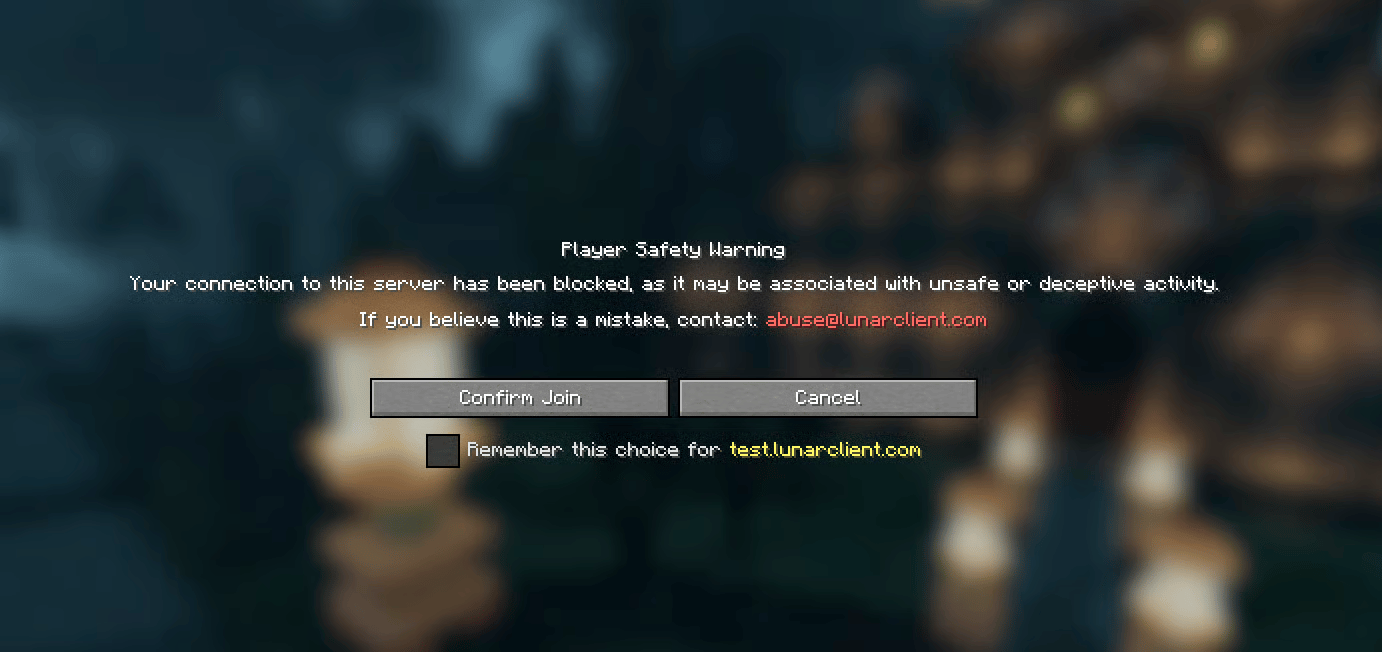
We’ve just released a couple of safety features for our players. We now flag certain links and servers as being suspicious. This means whenever a server you try to join or a link you click on in chat has been flagged as suspicious, you’ll receive a warning on screen where you can choose to proceed or cancel the action. If you believe a link or server has been incorrectly flagged, you’ll still be able to proceed while acknowledging the risk you are taking. You can also email [email protected] to get the content un-flagged. Finally, we’ve improved our icon system for partnered and official servers, meaning that it should be a lot more consistent and allows the possibility of expanding the system in the future.
Events
We’ve also hosted and participated in various events throughout December, which we will recap below.
Advent Calendar
We launched our first Advent Calendar event, allowing players to earn cosmetics by logging on everyday to collect a reward. Players that each Advent Calendar reward received a badge at the end of the event as an award. You can learn more about the Advent Calendar event here.

Gift Gauntlet
We’ve also had our second-ever Gift Gauntlet event this month, where players competed against each other to earn points by purchasing cosmetics on the Lunar Client Store to earn unique prizes, such as custom cosmetics, a badge, and more. Want to know more? You can read our blog post here.
Vault Sale
The Lunar Client Vault Sale is a bi-annual event where almost every single cosmetic ever sold on Lunar Client is available on the store for a limited time. In conjunction with the Gift Gauntlet, the Vault Sale is the perfect opportunity to splurge on some rare cosmetics.
Streamer Rewards
This month, we were given the opportunity to present the award for the Best Minecraft Streamer at Streamer Rewards, which went to our very own partnered creator, Tubbo! So if you want to show your appreciation to the one and only, consider picking up one of their Lunar Client cosmetics from our store to congratulate them on this huge achievement.
Wrapped
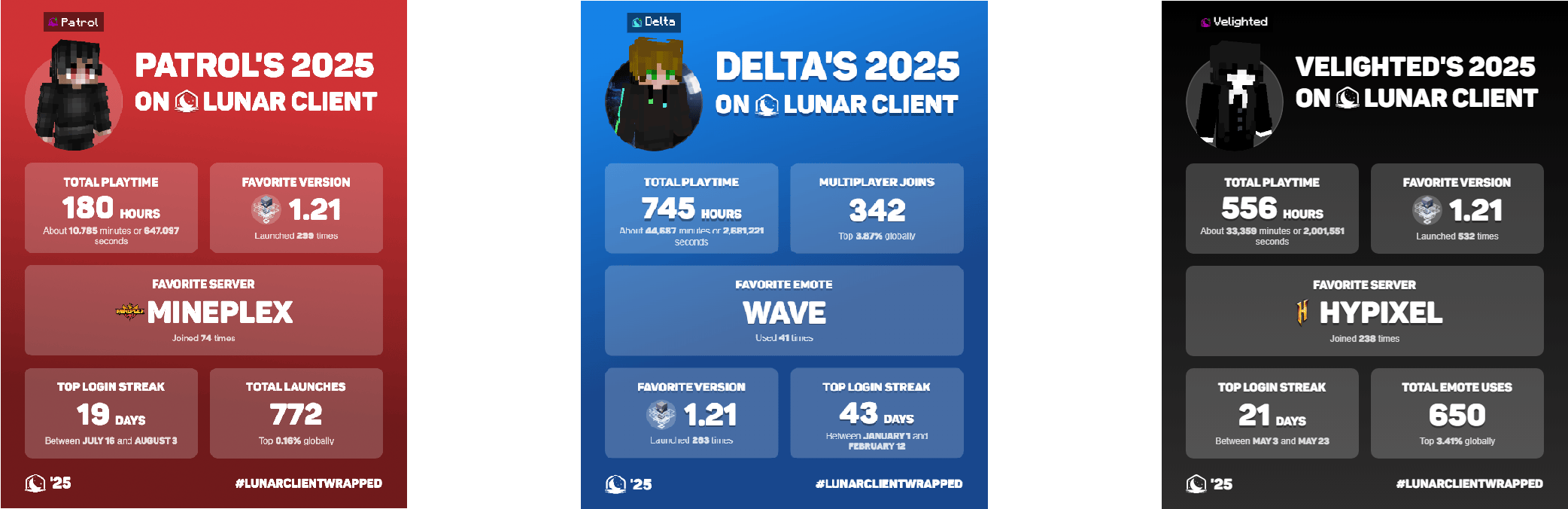
Lastly, we want to showcase Wrapped, our annual recap of your year on Lunar Client. Wrapped showcases various statistics, such as playtime, your top friend, most-played server, and much more. You can launch Lunar Client and click the 2025 Wrapped button on the main menu to check out your Wrapped (or you can just click here!). When sharing your Wrapped with your friends or on social media, make sure to use the #LunarClientWrapped hashtag.
That wraps up our recap of December 2025 on Lunar Client. As always, if you have any questions or are experiencing issues with Lunar Client, create a ticket on our Support Website or join the Lunar Client Discord server! If you are unsure of how to create a ticket, please view the Lunar Client Support Guide.
