We’ve just released the brand new Lunar Client Store, designed to improve the browsing and purchasing experience for you. The new Lunar Client Store features numerous improvements and features, including a sleek, new user interface, a search function, optimized performance, and more! You can check out the new Lunar Client Store here. The store revamp is in accordance with our ongoing work to redesign all Lunar Client menus, so keep an eye out in the future as we continue to revamp other aspects of the Lunar Client UI.
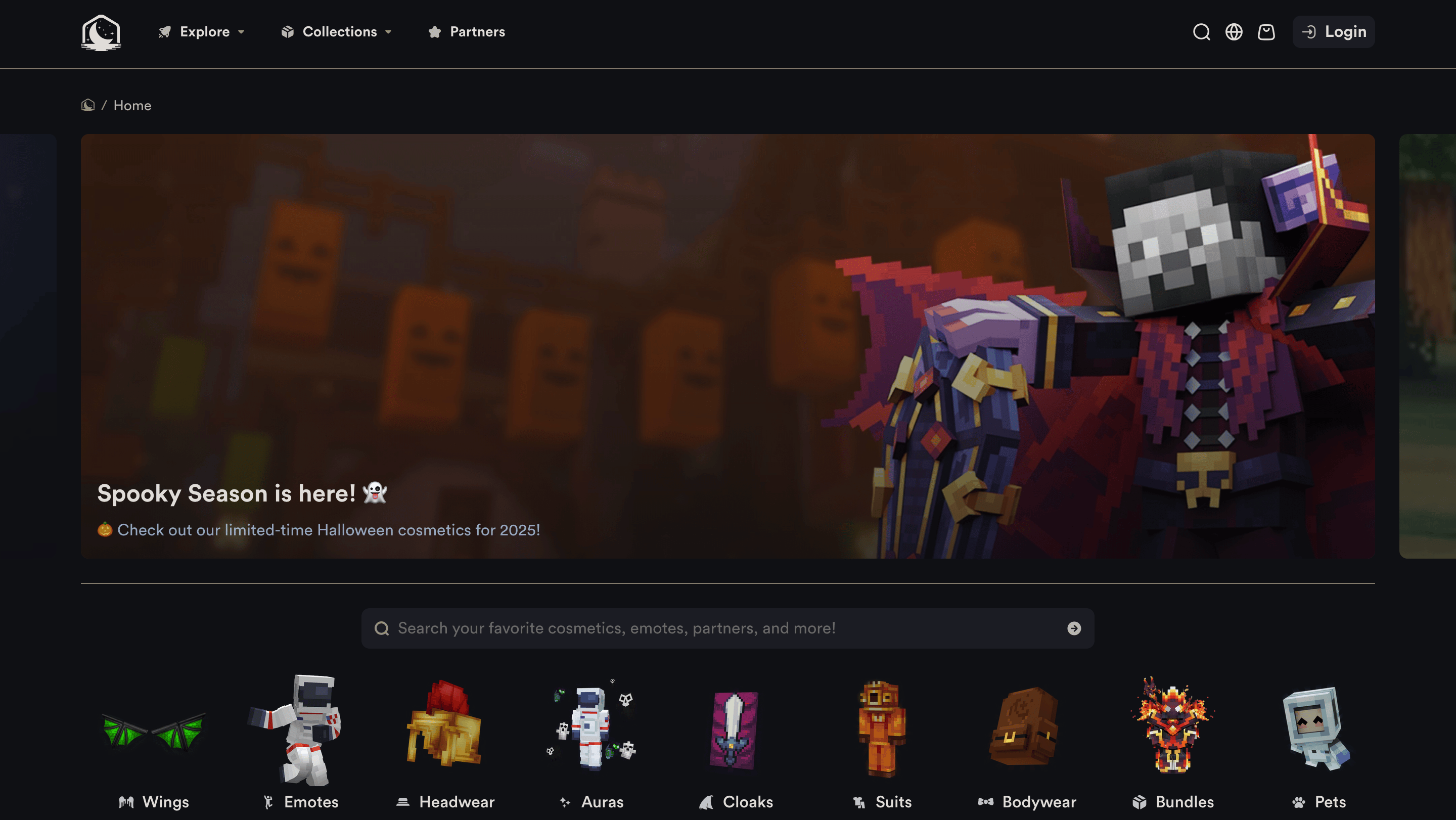
Improved Design
One of the first things you’ll notice when visiting the Lunar Client Store is the new and improved design.From the store’s new appealing visuals and animations to the sleek and easy-to-understand interface, we’ve redesigned the store from ground-up to give you a better experience.
From the home page, you’ll see the Explore, Collections, and Partners buttons at the top. The Explore button allows you to visit each cosmetic category, the Collections button will allow you to discover all available cosmetic collections, and the Partners tab lets you browse all of our partners’ cosmetics. Additionally, with the new design, you’ll be able to view both trending and recently added cosmetics, giving you inspiration on what to purchase. To see these selections, simply scroll down on the home page.
Searching
With the new Lunar Client Store design, you can say goodbye to having to endlessly scroll to find a specific cosmetic. This is because we’ve implemented one of our most-requested features: Searching! Now, you’ll be able to easily search for a cosmetic on the store, allowing you to find your desired cosmetic within seconds. To find a cosmetic, simply click the search icon at the top right of the store and begin searching!

Furthermore, we’ve also added the ability to filter and sort cosmetics based on a variety of criteria. You’ll be able to filter for cosmetics by options, color, as well as tags. You can also sort cosmetics based on popularity, alphabetical order, price, newest, and oldest. By filtering and sorting cosmetics, you’ll really be able to refine your cosmetic search, allowing you to find the perfect cosmetic for your Minecraft skin.
Optimized Performance
Previously, users often experienced lag when scrolling through the store, especially in areas with many animations, such as the Emotes page. With the new design, we’ve optimized the store to completely eliminate lag whilst browsing, removing a major source of inconvenience. Now, you can seamlessly browse the store without the hassle of lag. Additionally, the store now feels extremely smooth, allowing you to quickly navigate through the store without having to wait for it to load.
Better Preview
We’ve also upgraded the cosmetic preview. When previewing a cosmetic, you’ll be able to choose between eight different custom biome backgrounds when previewing a cosmetic, allowing you to see how it looks under various environments. In fact, these backgrounds aren’t just static; they’re 3D representations of the Minecraft world, meaning that you can dynamically move around the preview. Finally, within the updated preview feature, we’ve also added zoom functionality so that you can zoom in or out as much as you’d like, allowing you to observe minor details whilst at the same time, seeing a full-picture view.

Within the preview, you can modify the background, zoom, as well as animation—a pre-existing feature from the previous store—using the button at the bottom left.
As always, if you have any questions or are experiencing issues with your client, create a ticket on our Support Website or join the Lunar Client Discord server! If you are unsure of how to create a ticket, please view the Lunar Client Support Guide.
