What is Server Mappings?
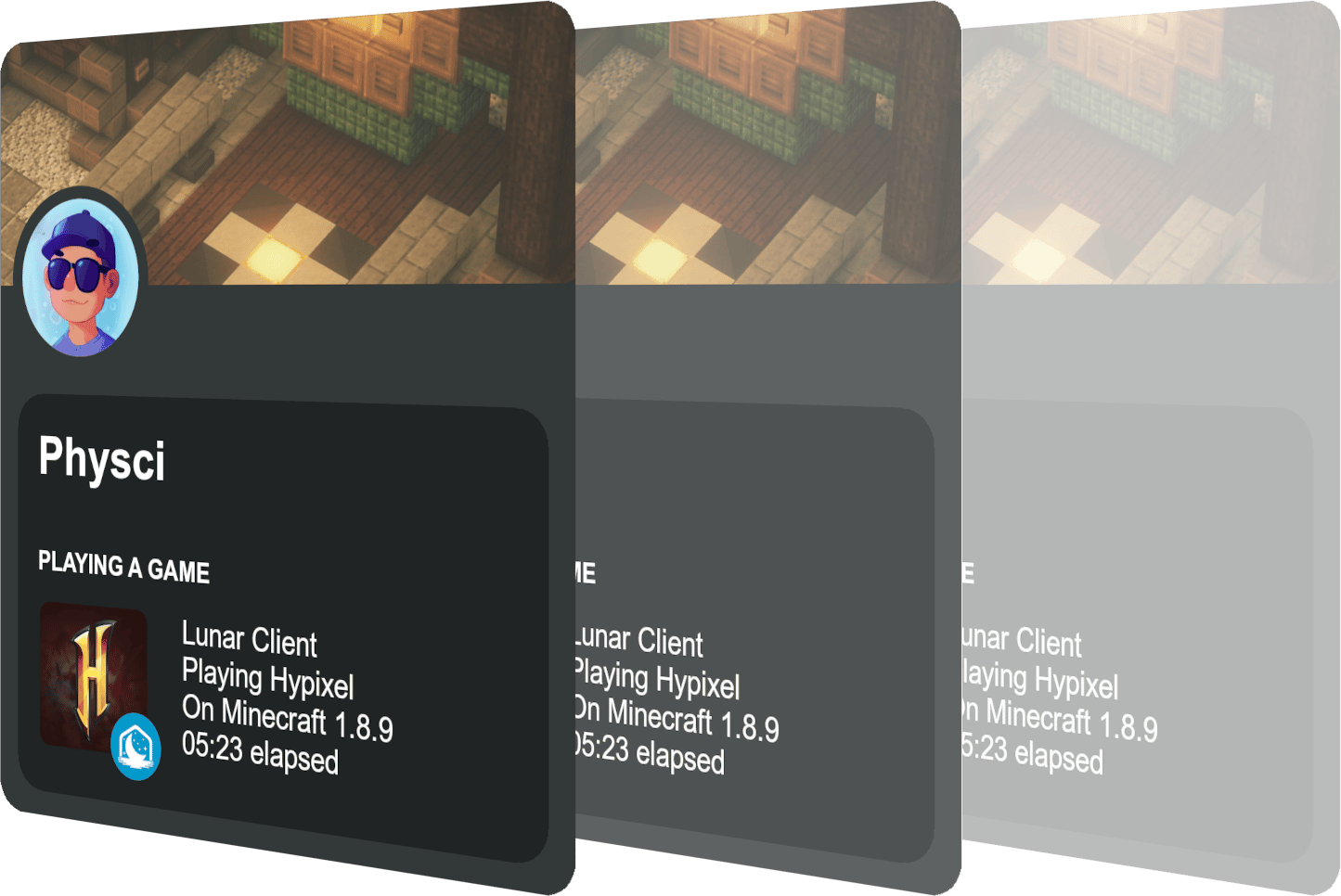
Lunar Client’s Server Mappings is a comprehensive repository of various Minecraft servers that Lunar Client pulls data from for various features. Server Mappings allows server owners to give Lunar Client information about their server so that it can be integrated into the client. At the moment, Server Mappings information is primarily used for Discord status, the in-game Lunar Client friend menu, and even our end-of-year Lunar Client Wrapped; however, there are many other features planned for the future. You can find Lunar Client’s Server Mappings here on GitHub.
How do I add my server to Server Mappings?
First, head over to the Lunar Client Server Mappings Repository and ensure that you are signed into a GitHub account. If you do not have a GitHub account, you will need to make one, and you can do so by clicking here. Once logged in and in the repo, click the Fork button at the top right, and then press Create Fork at the bottom.

Once you’ve opened the forked repository, there are several files you will need to create and upload to the repository. You will need a metadata.json file and a logo.png file. The metadata file contains all of your server’s information, which we cover below. The logo file should be a high-quality image of your server’s logo. You can also upload background, banner, and wordmark images; however, these are optional.
Creating and Formatting Your Metadata
The metadata file contains all of your server’s information, such as its IP address, region, socials, store, and more. Check out this link for an example metadata.json file for the Lunar Network that you can easily reformat for your server.
Lunar Network Example metadata.json
{
ㅤㅤ"id": "lunarnetwork",
ㅤㅤ"name": "Lunar Network",
ㅤㅤ"website": "https://www.lunar.gg",
ㅤㅤ"store": "https://store.lunar.gg",
ㅤㅤ"description": "Home of Competitive Minecraft PvP",
ㅤㅤ"addresses": [
ㅤㅤㅤㅤ"lunar.gg",
ㅤㅤㅤㅤ"lunargg.dev",
ㅤㅤㅤㅤ"mcteams.com"
ㅤㅤ],
ㅤㅤ"primaryAddress": "lunar.gg",
ㅤㅤ"minecraftVersions": [
ㅤㅤㅤㅤ"1.7.*",
ㅤㅤㅤㅤ"1.8.*"
ㅤㅤ],
ㅤㅤ"primaryMinecraftVersion": "1.8.9",
ㅤㅤ"primaryColor": "#44a1e3",
ㅤㅤ"secondaryColor": "#a854de",
ㅤㅤ"primaryLanguage": "en",
ㅤㅤ"languages": [
ㅤㅤㅤㅤen"
ㅤㅤ],
ㅤㅤ"primaryRegion": "NA",
ㅤㅤ"regions": [
ㅤㅤㅤㅤ"NA",
ㅤㅤㅤㅤ"EU",
ㅤㅤㅤㅤ"OC",
ㅤㅤㅤㅤ"AS",
ㅤㅤㅤㅤ"SA"
ㅤㅤ],
ㅤㅤ"gameTypes": [
ㅤㅤㅤㅤ"PvP"
ㅤㅤ],
ㅤㅤ"compliance": {
ㅤㅤㅤㅤ"privacyPolicy": "https://www.lunar.gg/privacy",
ㅤㅤㅤㅤ"termsOfService": "https://www.lunar.gg/terms",
ㅤㅤㅤㅤ"rules": "https://www.lunar.gg/rules"
ㅤㅤ},
ㅤㅤ"socials": {
ㅤㅤㅤㅤ"twitter": "LunarNetwork",
ㅤㅤㅤㅤ"telegram": "lunarnetwork",
ㅤㅤㅤㅤ"discord": "https://www.lunar.gg/discord"
ㅤㅤ},
ㅤㅤ"crossplay": false
}
You’ll notice various fields within the metadata.json file; you should tweak these to reflect your server’s information. The majority of the fields are optional, however you must include id, name, description, and addresses. You can check out this page for a detailed description of all possible fields.
You can begin by opening your fork of Lunar Client’s Server Mappings and then clicking on the servers folder. Next, press Add file and then Create new file. At the top, you’ll see a text box for naming your file. First, create a folder for your server that should be named after your server’s id, which you’ll need to come up with.
If you rebrand your server, IDs cannot be renamed. You must create a new folder with the new ID and add the old one to the inactive.json file via PR.
IDs must be lowercase, alphanumeric, contain no spaces/symbols, and must match the folder name exactly
To create the folder, type your id into the text box followed by a / . For example, lunarnetwork/. Next, create your metadata.json file by typing metadata.json into the same text box. Now, copy and paste the example metadata.json from above into the file and then tweak the fields to your liking. After you’ve finished creating your metadata.json, press the green Commit changes... button at the top right.

Adding a Logo
You will also need to upload a logo for your server. To do this, navigate to your server’s folder in your Lunar Client Server Mappings fork. Next, click Add File at the top right, press Upload Files, and then simply select your logo from your computer.
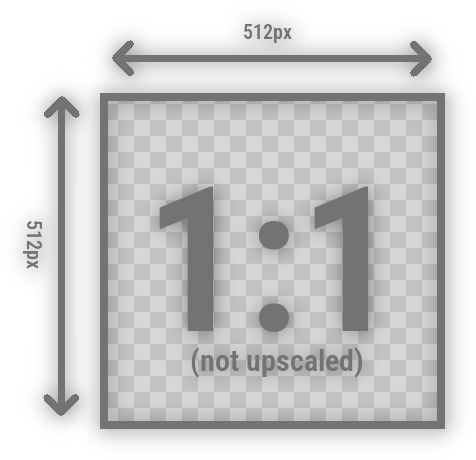
However, there are a few requirements that your logo must follow: Your logo must be a .png file, it should be transparent, it needs a 1:1 aspect ratio (square), it has to 512px in width and height at minimum, and it must not be an upscaled image. Also, keep in mind that copyrighted material is not allowed.
Adding Miscellaneous Files
You can also add background, banner, and wordmark files; however, these are optional. You can upload these files using the same process as adding a logo. As these are not mandatory, this article will not go in-depth on the requirements for these files, however you can find more information here.
Creating a Pull Request
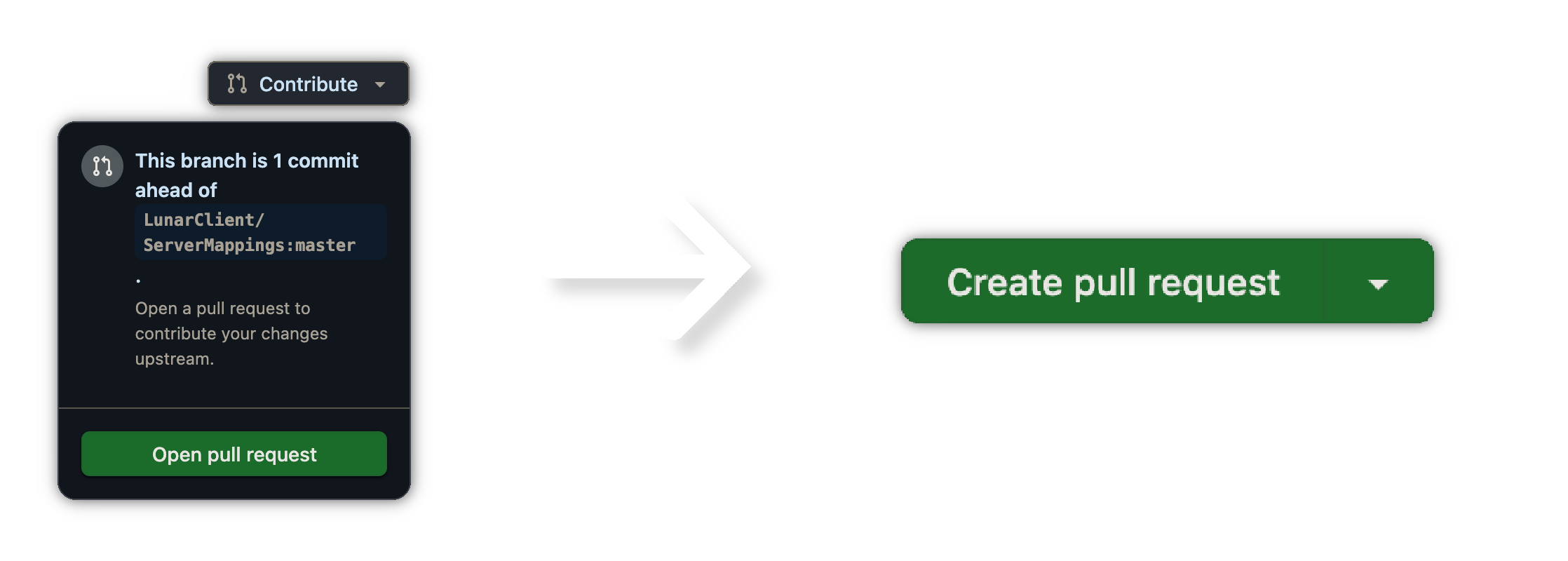
Now that you’ve created all your files, you’ll need to open a pull request so that your changes can be merged into the main Server Mappings repository. You can do this by navigating back to the main page of your forked repository and clicking Contribute → Open pull request. Next, add a title, and then click Create pull request.
Once your pull request is submitted, it will go through an automated review process. If everything looks correct, your pull request will receive a Ready for Review tag. If there are any issues, our bot will leave a comment explaining what needs to be fixed. You’ll need to make the required changes and commit them to update your pull request.
After passing the automated checks, your changes will be reviewed by a Lunar Client staff member. This process may take some time, so please be patient. You will be notified via email if further changes are required or if your pull request is accepted or denied.
Frequently Asked Questions
Can I add my private server to Server Mappings?
Unfortunately, we only allow publicly accessible servers within Server Mappings, so we will not add your server.
What happens if my servers goes offline for an extended period of time?
If a server closes or is not joinable for over three months, we will classify it as inactive. This means it will be added to the inactive.json file within the repository, and the server will no longer appear on Discord statuses and other Server Mappings-related features.
How do I mark my server as active after it has been classified as inactive?
Simply submit a Pull Request removing your server from the inactive.json file.
Where can I get assistance with Server Mappings?
We recommend asking inside the Lunar Client Developers Discord server, which you can find here, or you can open a Support Ticket.
Is there documentation for Server Mappings?
Documentation for Lunar Client’s Server Mappings can be found here.
