Whether you’re looking for a performance boost or some fancy quality-of-life features, Minecraft modpacks have you covered, especially if you’re playing on large Minecraft servers like MCC Island. In this article, we’re going to be reviewing the “MCC Island Modpack” for Lunar Client, what it is, and how you can start using it.

What is MCC Island
MCC Island is a Minecraft server created by Noxcrew, the founders of the Minecraft event, MC Champions. MCC Island is a mini-game server thatoften recreates some of the most famous games found in MC Champions. Some of these games are, Battle Box, Hole In The Wall, Parkour Warrior, SkyBattle, and TGTTOS (To Get To The Other Side).
The Purpose of using the MCC Island Modpack
After playing on this Minecraft modpack for hours, I can attest to its usefulness to the community. Using this Minecraft modpack will better enhance your MCC Island experience by utilizing a plethora of performance-related mods and quality-of-life features that are exclusive to the MCC Island server.

Why Should You Use The MCC Island Modpack?
Using the MCC Island Modpack for Minecraft gameplay can be extremely useful when you’re looking for an enjoyable server experience. Using the mods inside this Modpack can provide players with a plethora of quality-of-life features that can even make the user-experience more friendly. If you pair this modpack with Lunar Client’s mod integration, you can use our Turbo Entities feature to boost your performance, while using our wide variety of built-in modifications that can help you advance to the leaderboards and improve your Minecraft skills. MCC Island is also known to be a ‘resource-intensive’ server, so utilizing the MCC Island Modpack can be helpful when improving performance, and making it more playable on low-end computers.
Download the MCC Island Modpack
If you’re an avid Lunar Client user and you want to use this modpack for yourself, you definitely can. By navigating to the modpacks tab inside the Lunar Client Launcher, you can view the various modpacks we have to offer. The installation process is very simple, just click on “Install and Play” and it will automatically install and launch the latest version of the MCCIsland modpack.
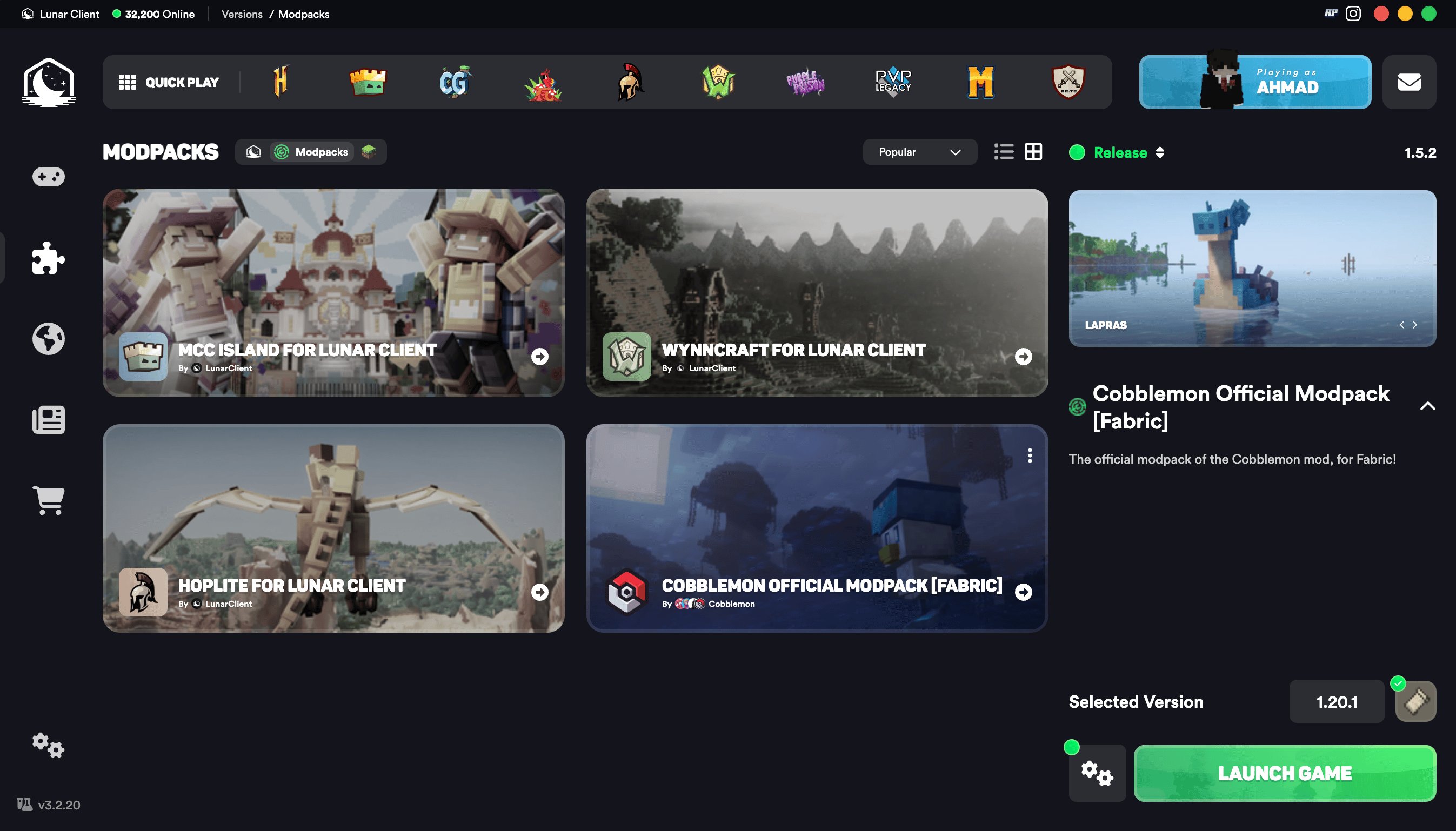
What Mods are inside the MCC Island Modpack?
After you’ve installed the MCC Island Modpack and have launched the game, you will not only notice the increase in performance, but also the plethora of features some of the mods have to offer. But, just in case you’re not aware of these mods, let’s go over them.

Island Utils
Island Utils is a utility mod for MCC Island that enhances quality-of-life features for certain aspects of the server. These utility settings can change event music of the games on the server and provide custom volume sliders for music tracks and sound effects. The utility mod also provides users with buttons above the chat box to switch between chat channels, such as your ‘Party’ and ‘Team’. Finally, you can preview your character when in the wardrobe or shops looking for cosmetics, and a confirmation screen when clicking “Disconnect” during games.
Performance Mods
As previously mentioned, the MCC Island Modpack utilizes a lot of performance related mods for Minecraft. Since MCC Island uses their own custom resourcepack, there will be a lot of performance drops that players may experience depending on their computer specs. With this modpack, you can expect an increase in performance, and paired with Lunar Client’s Turbo Entities feature, you could see your performance even double.
| Noxesium | Improves client performance and experience on large multiplayer servers. |
| Lithium | General purpose optimization mod, improves game and server logic. |
| Sodium | Modern rendering engine which greatly improves performance. |
| FerriteCore | Provide memory usage optimizations. |
| More Culling | Prevents the rendering of things you cannot see to improve FPS. |
| NVIDIUM | Adds additional optimizations for Minecraft users who have a NVIDIA GPU. |

Iris
Want to take your Minecraft visuals to the next level? Iris is a powerful, modern shader pack loader that transforms the look and feel of the game. Think dynamic lighting, realistic shadows, and stunning water reflections. It also supports Optifine shaderpacks, so your existing favorites will work right out of the box.
Configuration Library
The MCC Island Modpack includes two configuration library mods, the Cloth Config API and YetAnotherConfigLib. These work behind the scenes to give other mods clean, user-friendly settings menus. You may not interact with them directly, but they're essential for making everything feel polished and easy to configure.
Mod Menu
Managing your mods has never been easier. Mod Menu gives you a clean, organized overview of every mod you have installed, with direct links to each mod's configuration screen. Whether you're tweaking settings or just checking what's running, it keeps everything in one convenient place.
Fabric API
Finally, we have the infamous Fabric API. This Minecraft modification creates pathways for essential hooks and interoperability mechanisms for Fabric mods, meaning that it can load any mod that uses this API. It is also designed for compatibility with optimization mods and graphics overhaul mods.

If you have any questions or are experiencing issues with your client, create a ticket on our Support Website or join the Lunar Client Discord server! If you are unsure of how to create a ticket, please view the Lunar Client Support Guide.
