
We’re back with the October Lunar Client recap, and this month, we’ve got a ton of exciting updates to cover. We’ll be taking a look at a brand new cosmetic type, some Skyblock updates, Badlion Client parity additions, as well as the release of our store overhaul. So what are you waiting for? Let’s jump into October on Lunar Client.
You can also check out this month’s Lunar Client recap video below!
Store Overhaul
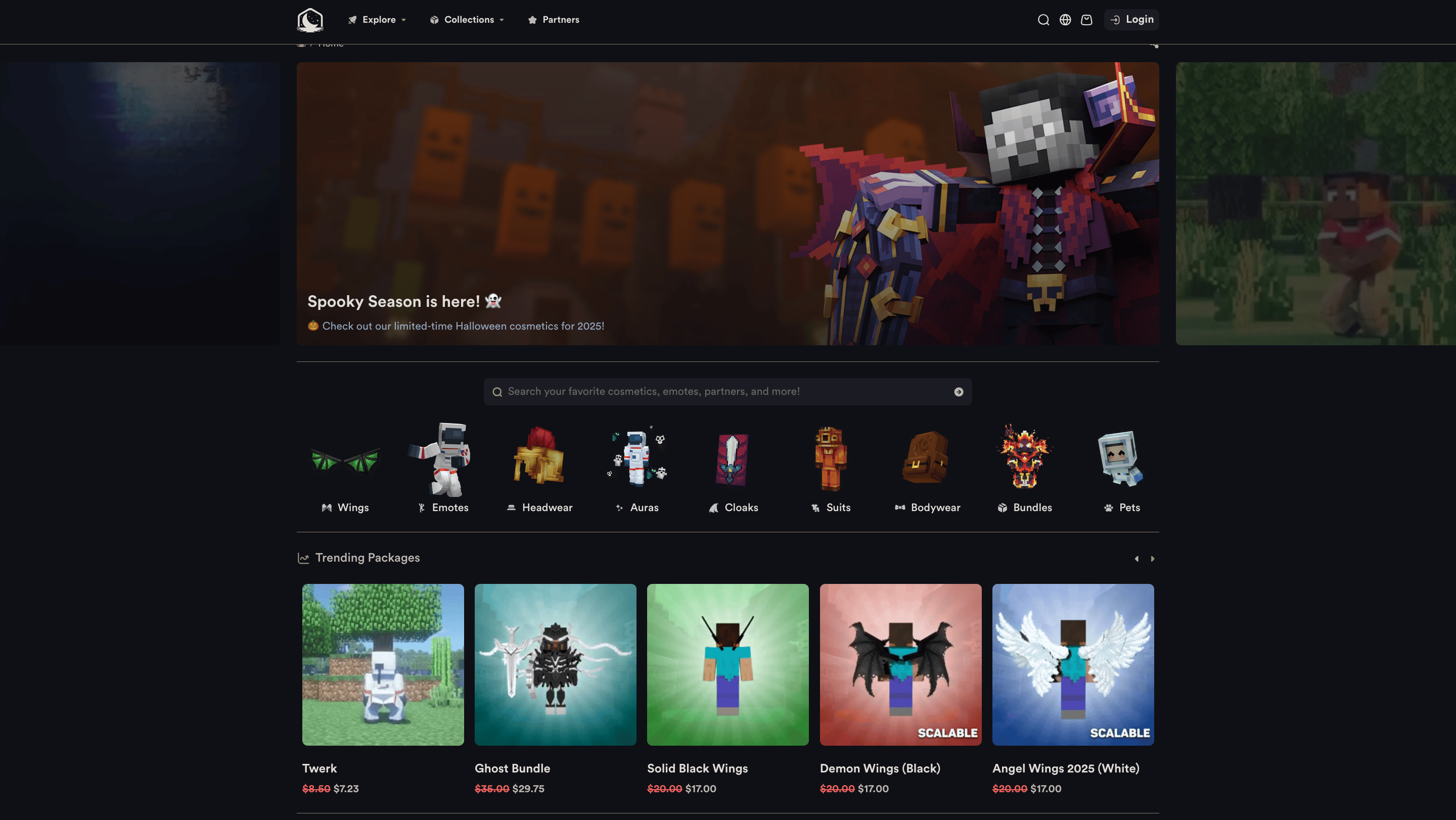
One of Lunar Client’s biggest changes this month was the overhaul of the Lunar Client Store. The overhaul included the addition of many highly requested features for our store, including a comprehensive search function, allowing users to easily find cosmetics for the first time. Aside from the search feature, the new Lunar Client store also features a list of trending and newly added cosmetics as well as a redesigned partners section.
Badges
We’re introducing a brand new type of cosmetic to Lunar Client: Badges! Badges are small icons that appear to the right of a player’s username in-game, including on nametags and in the tablist. Badges are unique from our other cosmetics because they cannot be purchased from the store. Instead, Badges can be obtained by participating in various client-wide events, such as our bi-annual Gift Gauntlet event. Badges can be equipped through the Lunar Client cosmetic locker, just like any other cosmetic, making them extremely easy to use.

We think Badges are a cool way to reward players across the client, and we plan to introduce other ways to obtain them in the coming months, so stay tuned!
Markers Mod
This month, we also added the Markers Mod to the client, which allows players to create in-game ‘markers’ that can be visible to teammates, friends, and even party members on Hypixel. To begin creating markers, first enable the mod, then head into the Markers Mod’s settings and a set keybinds to place and clear markers. You can also customize the Markers Mod to your liking via its settings page, including things like modifying marker placement sound, marker visibility, scale and duration of markers, as well as the information shown when hovering over a marker. Once you’ve configured Markers Mod to your liking, simply press your assigned keybind to create a marker anywhere in-game—your teammates, friends, or party members will automatically be able to see your marker, so long as they also have the mod enabled. Additionally, you can place different types of markers by holding down your marker placement keybind, and then selecting your preferred marker type.
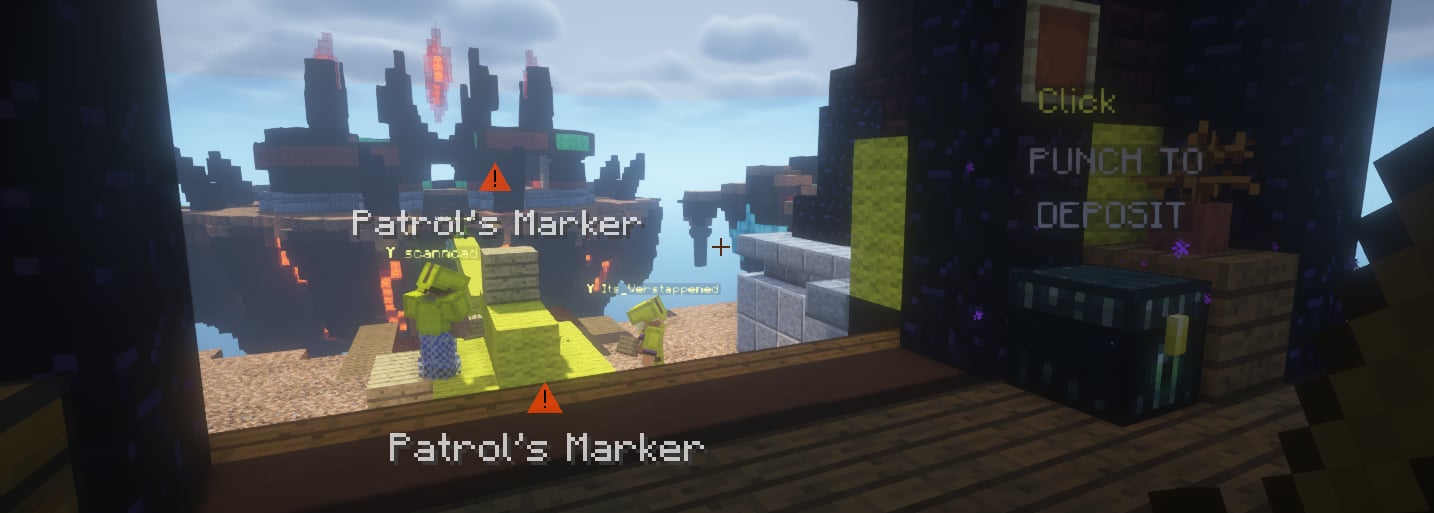
With the release of the Markers Mod, we hope that you’ll be able to communicate much more easily with your teammates, allowing you to win more games.
Hypixel Team View
Alongside the Markers Mod, we’ve also updated our Team View mod to work on Hypixel. If you aren’t aware, the Lunar Client Team View mod displays a symbol above your teammates’ nametags that is visible across the whole world. Now that Team View works on Hypixel, you’ll be able to more easily plan your next moves in competitive PvP gamemodes, such as Bed Wars. If you wish to learn more about Lunar Client’s Team View mod and how it works, be sure to check out our article here.
Skyblock Updates
As always, we’ve also been working on numerous Skyblock Updates this month, including a new Pity Widget and Dungeonbreaker HUD, as well as the addition of re-queuing for dungeons and Kuudra.
Pity Widget
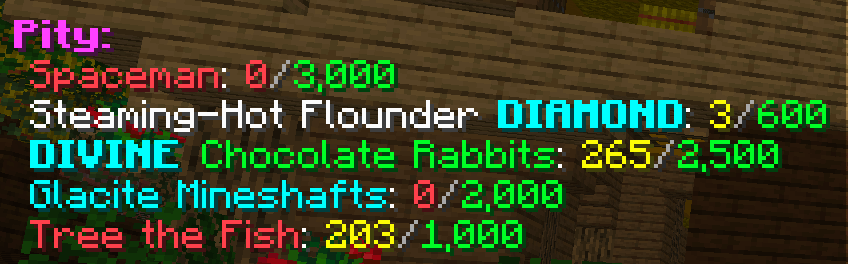
To start us off, we’ve released a HUD for the new Pity System that was just added to Hypixel Skyblock. This new HUD gives you an easy-to-view display of how far you are until you reach your next guaranteed reward from the Pity System. So, for instance, you can see how many eggs you need to open within the Hoppity’s Egg Hunt event before receiving a guaranteed Mythic or Divine Rabbit.
Dungeonbreaker HUD
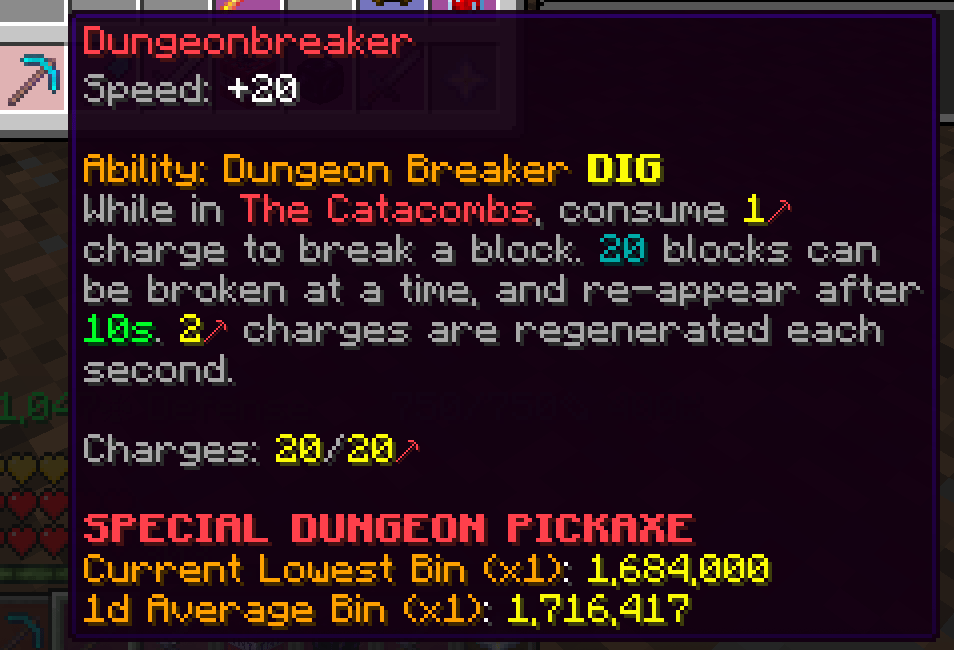
We’ve also added a new HUD for the Dungeonbreaker item which was just released as well. This HUD will show you how many charges you have on your Dungeonbreaker, and will update as you’re using it, to ensure you don’t run out before mining through the map.
Automatic Re-Queue and Chest Looted Announcement
The next update on our list lets you automatically re-queue instances of both Dungeons and Kuudra Fights. You can customize this feature by adding a buffer before re-queueing, a pause whenever a player leaves, and an automatically-typed downtime command in party chat—all to ensure you don’t accidentally re-queue before everyone is ready.
Alongside this, there’s also now the option to announce looted chests for Dungeons & Kuudra automatically, in either party chat or public chat.
Badlion Client Parity
To wrap up our SkyBlock updates for this month, we’ve just finished porting over a ton of SkyBlock features from Badlion Client, in what we’re calling Part 1 in our SkyBlock Parity Update. This first part includes too many features to list in this Recap, so we recommend watching our Recap video to get a quick overview of some of these additions.
Badlion Client Parity — Performance Improvements
Another exciting addition to the client involves the implementation of various performance improvements from Badlion Client. Our testing team has reported that these improvements have a large impact on FPS, including some cases where FPS doubled on 1.8, and a nearly 50% increase on the latest Minecraft version. This is just the start of some of the improvements that we plan to bring over from Badlion Client, so keep your eyes peeled as we work to improve performance across all Minecraft versions.

Importantly, we are always open to feedback, so if there are any other Badlion Client features you wish to see on Lunar Client, be sure to let us know!
Sneak Speed Animation
Inside the General tab of Lunar Client settings, we’ve added a new slider that allows you to customize the speed of the sneak animation. This is much more apparent on modern versions of Minecraft after the sneaking height was changed, but you’re still able to change it on older versions as well. This new option is a nice quality of life feature, allowing you to further tweak Minecraft to your liking, alongside Lunar Client’s many other customization features.
Rewind
After the release of Rewind last month, we focused on fixing many of the bugs that were reported, to give our users a much smoother experience and increased accuracy of captures. But not only did we fix many Rewind bugs, we also implemented a couple new features: You can now record Rewinds in 240 FPS as well as change your Rewind’s bitrate directly inside of the editor.
Fabric Version Bump
Previously, some users were facing issues using certain Fabric mods on Lunar Client due to the client using an outdated version of Fabric Loader. As a result, we’ve also bumped our Fabric Loader version to 0.17.3 so as to improve compatibility with Fabric mods. Now, you’ll once again be able to use your favorite Fabric mods on Lunar Client.

Halloween Cosmetics
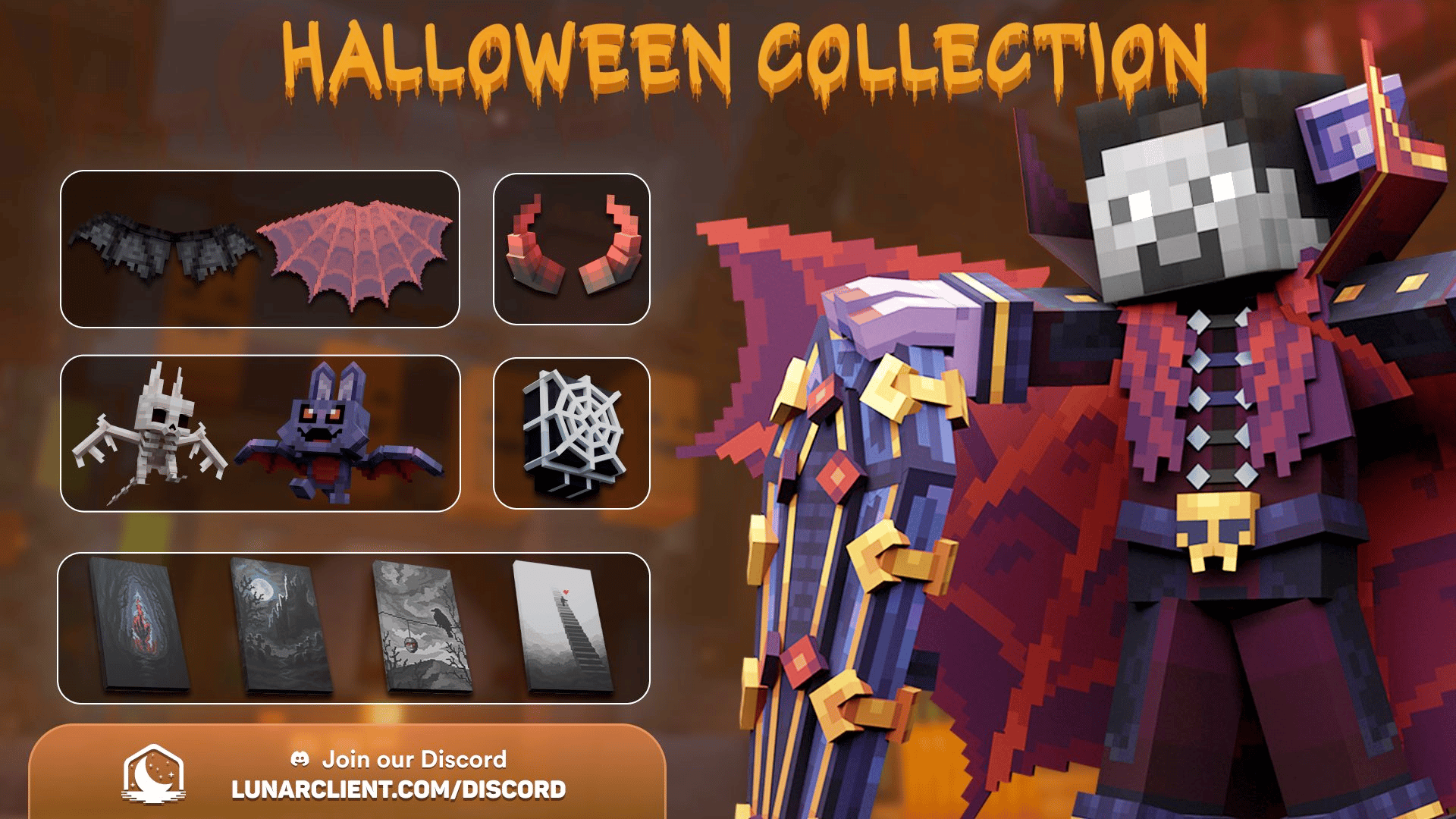
Finally, to end off this Recap, we’re going to show off our new Halloween Collection. From floating eyeballs to vampire cats, we’ve included everything you need to get yourself in the spooky season this year, or to just throw on during days that you’re feeling a bit more grim. You can view the collections and purchase these cosmetics here on our store.
That wraps up our recap of August 2025 on Lunar Client. As always, if you have any questions or are experiencing issues with Lunar Client, create a ticket on our Support Website or join the Lunar Client Discord server! If you are unsure of how to create a ticket, please view the Lunar Client Support Guide.
