Welcome to the latest Lunar Client Recap. This month of June, we have a plethora of new features that will knock your socks off, but they will also help you to improve your Minecraft experience. Without spoiling too much, let’s get started.
You can also check out this month’s Lunar Client recap video below!
Minecraft Version 26+
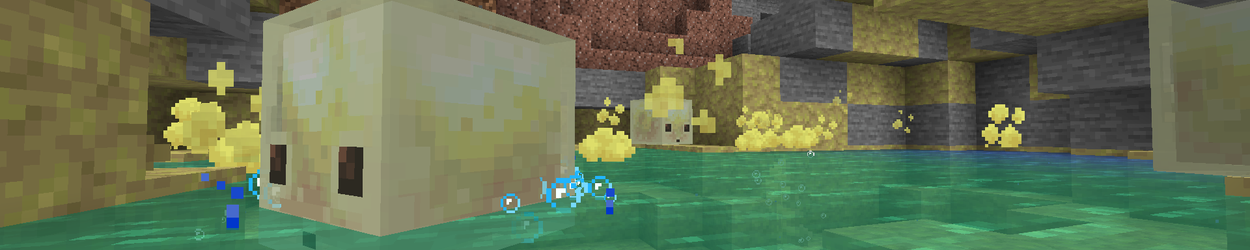
With the announcement of the latest snapshot for Minecraft, the new Sulfur Caves and Sulfur Cubes update can now be launched straight through Lunar Client. Of course, like all snapshot releases, these versions are still in development, so if you stumble across any issues related to Lunar when trying out these versions, please open up a support ticket through our website so our team of Agents can send them over to be fixed as soon as possible.
Launcher Updates
Profile Cards
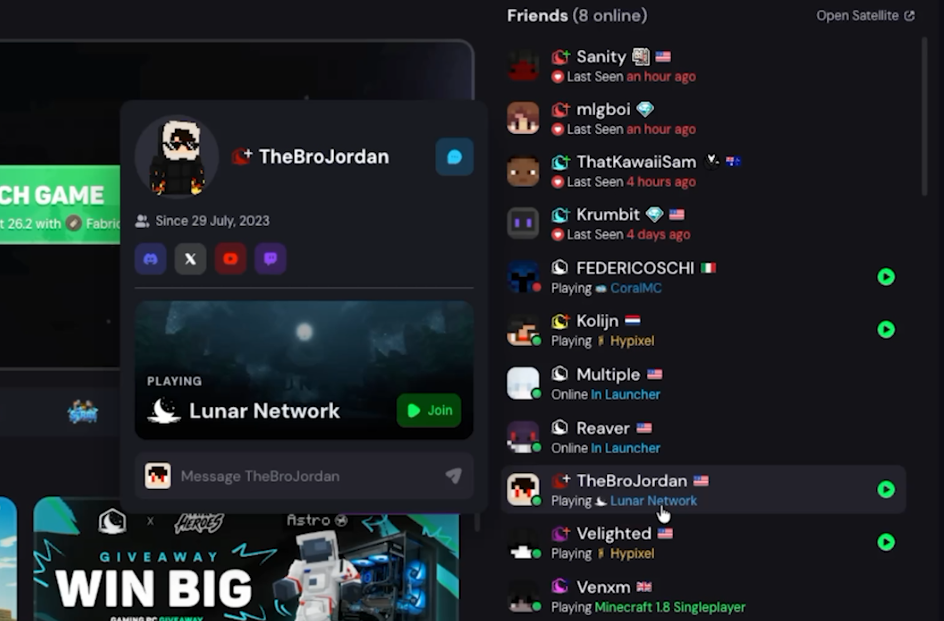
By left-clicking on any of your friends in the Launcher, you’ll now see their profile card appear, which shows you a bit of information about them. This includes when you guys became friends on Lunar Client, any linked social accounts they may have, the server they’re currently playing, and a bar to quickly shoot them a message. This feature is great for expanding the social experience across Lunar, and we can’t wait to share what else we have to improve this even more in the near future.
Skin & Cape Presets
Our new Skin Changer inside of the Launcher just received an update allowing you to save skin & cape combinations as a new look, to make swapping between your favorites easier. All you have to do is apply the skin and cape you’d like to save, and then simply press the “Save Look” button right below your player model. This will let you pick a name for this look, and then it will instantly be available in the Looks tab near the top.
Isolated Profiles
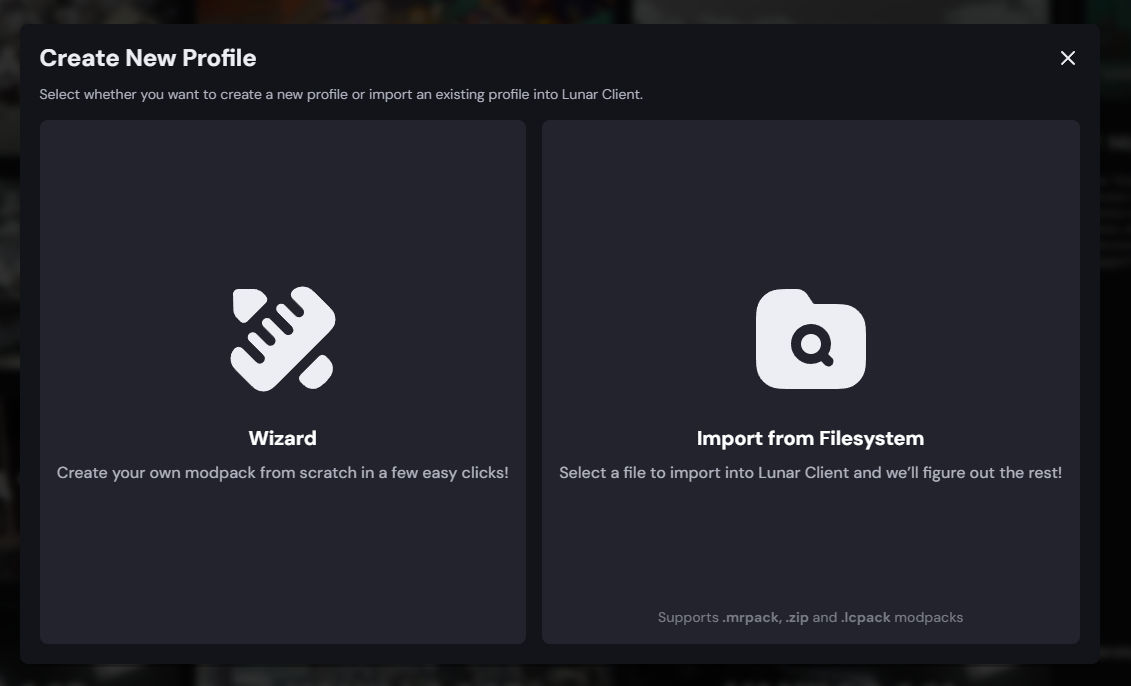
With Isolated Profiles, you get to be in control of where your profiles are stored, and what files they are using whenever you go to set them up.
When you install a new modpack, you’ll now see a new option to isolate this profile. This means Lunar Client will create a separate directory for this instance of Minecraft, where it won’t use your standard .minecraft folder for any of your settings, worlds, resource packs, or anything else. After you’ve installed your modpack, just head into the modpack tab under our Versions page, where, by clicking this gear, you can further customize it.
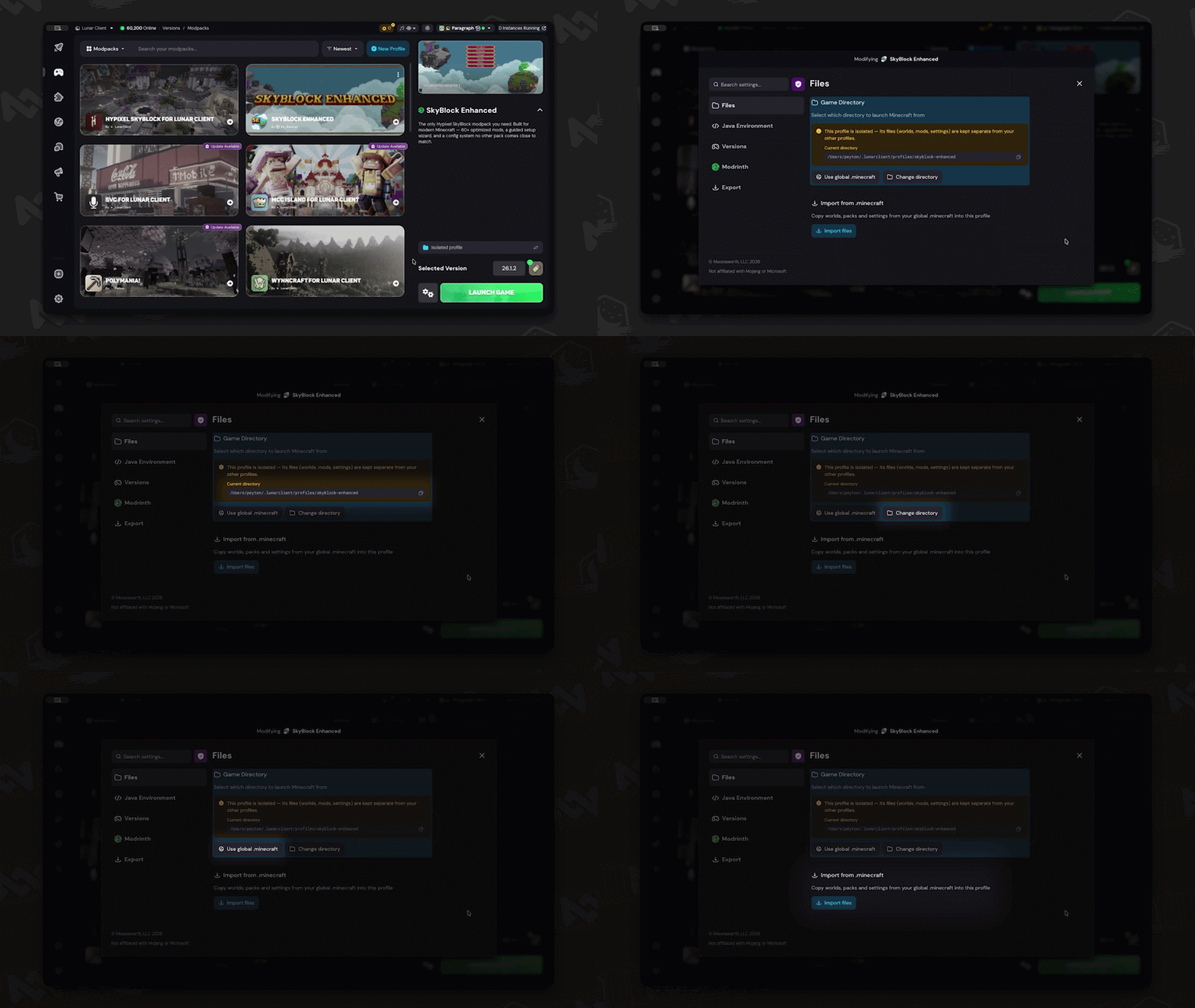
Here you’ll see the new directory in which this profile is saved in, of course with the option to change it to anywhere else on your computer. You can also turn this into a global profile by clicking the “Use global .minecraft” button, or copy over individual parts from your global folder. This is great if you, say for instance, do want to keep the same settings and server list, but don’t want the same worlds and texture packs.
Screenshots Page & Servers Page
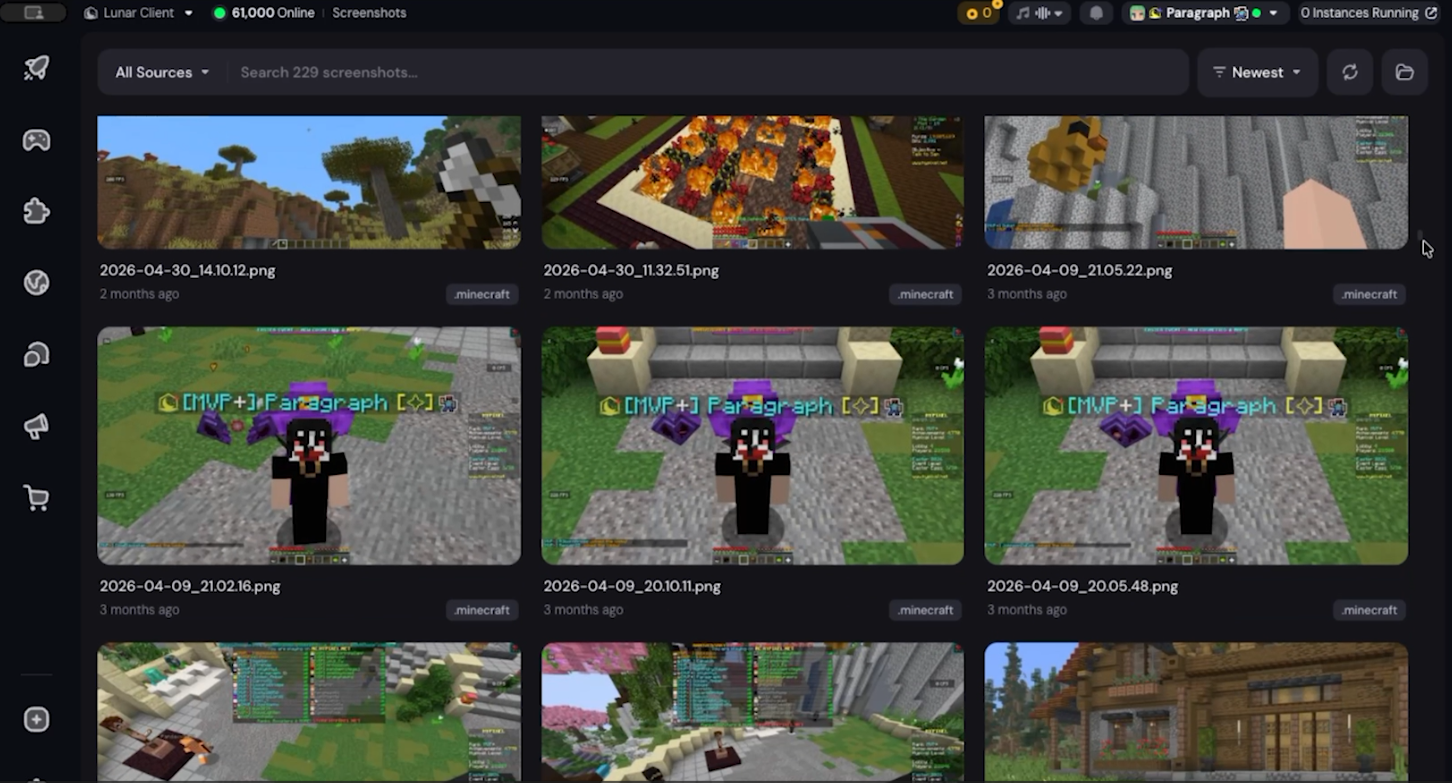
A new page was just added under your account dropdown at the top. Inside of our new Screenshots page, you can quickly manage all of your screenshots across any profile. Just search for the one you’re looking for by name, or by sorting from oldest to newest or alphabetically. You can also quickly copy and rename your screenshots just from clicking on them, as well as an edit mode. The edit mode lets you draw on, add text, or crop any of your screenshots. You can then copy the edited image to your clipboard, overwrite the original version, or save a new copy.
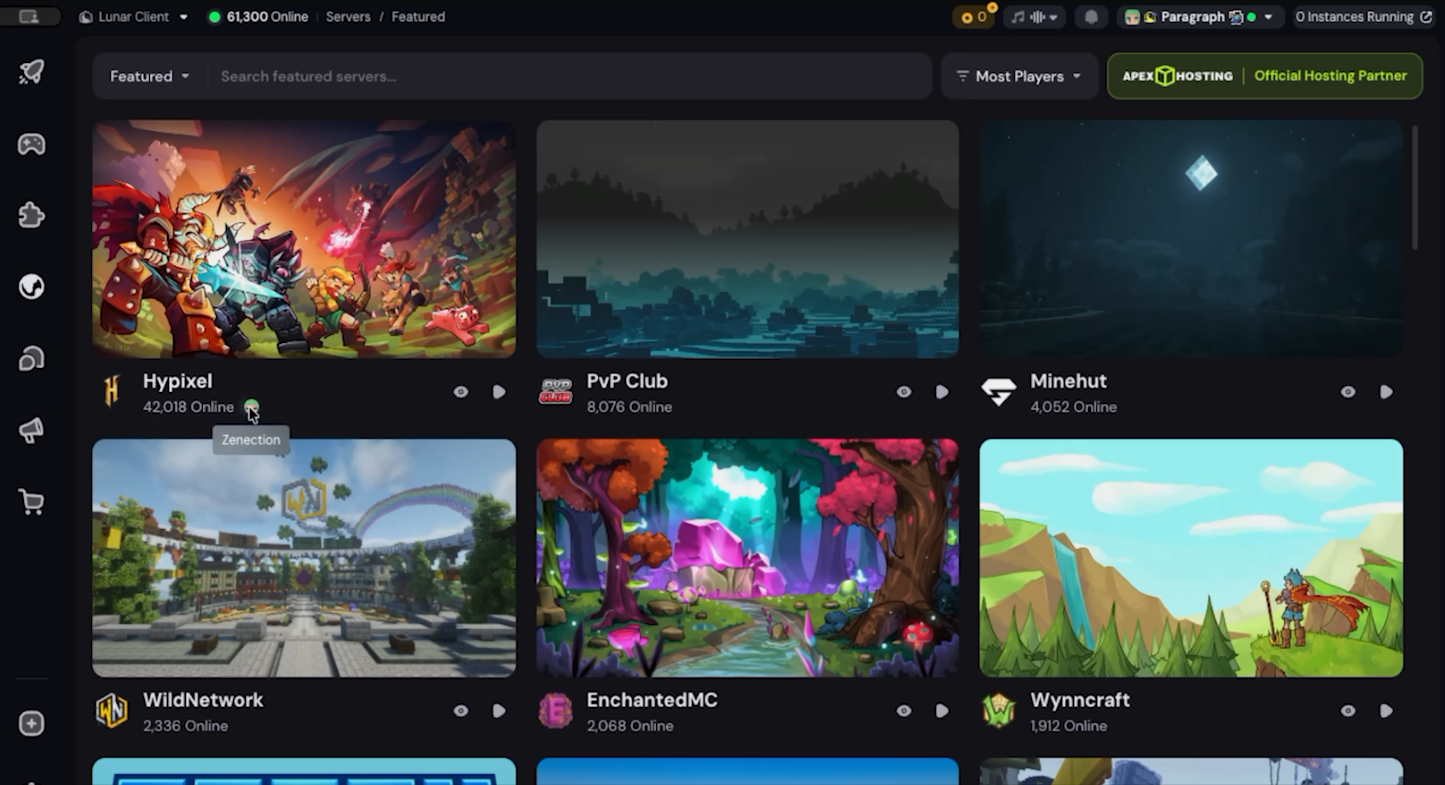
To wrap up our launcher updates for this month, the Servers page received a nice little redesign, now letting you see which of your friends are currently playing on one of our featured servers, as well as a new popup which shows you a bit more information about any of these servers.
Client Updates
With the significant amount of changes we’ve made to the client, we wanted to highlight some of the improvements we’ve cooked up for the month of June.
Server Ping Fix
Our first in-game update is actually a bug fix to an issue that has been plaguing some users for a bit. Now when attempting to ping certain servers like Hypixel, you shouldn’t have the issue about them failing to ping and disrupting your gameplay. We’re happy to have gotten a fix out for this as soon as possible, and if you ever run into any other issues when using Lunar, make sure to create a support ticket on our website to let the team know and help us get it fixed as soon as possible.
Scoreboard Visibility Keybind
By heading into the mod, you’ll now see a new option to set a keybind to toggle the visibility of your scoreboard. This is great if you need to quickly get it out of your way, with the option to bring it back at a moment's notice. This feature comes in handy if you’re also wanting to avoid those stream snipers.
Hitbox Attack Range
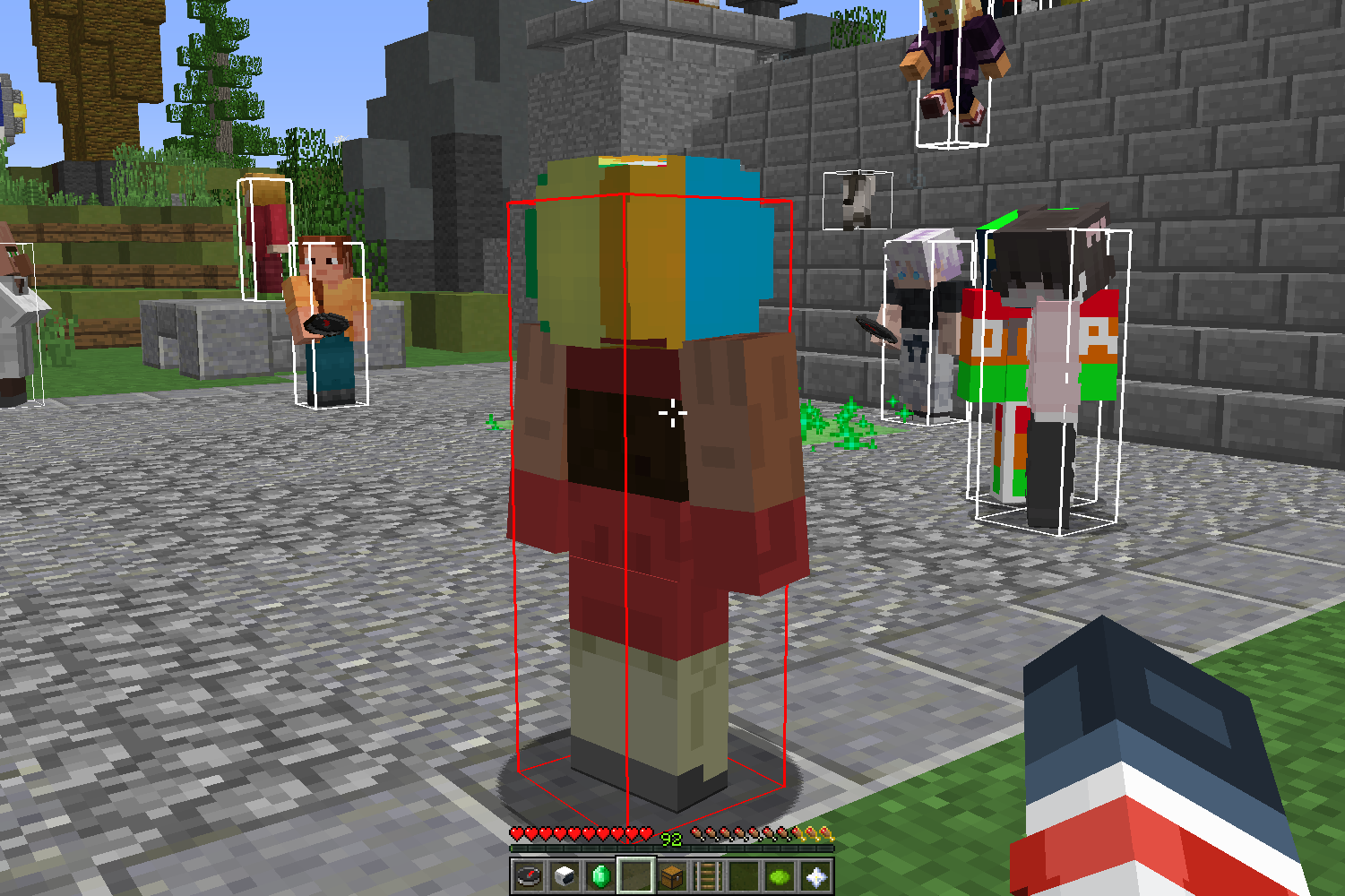
Our Hitbox mod received a new option which will change the color of your hitboxes whenever you’re within range of attacking someone. Especially on modern versions of the game where missing your hits can make the difference between winning and losing, having an indicator for when you for sure can attack your opponent is a very welcomed change. Just head into the mod, select which hitboxes you’d like this to appear on, and then enable the “Show Hittable Color” option. Of course you can change this to any color of your choice to make it stand out more.
Importing Profiles from Other Clients
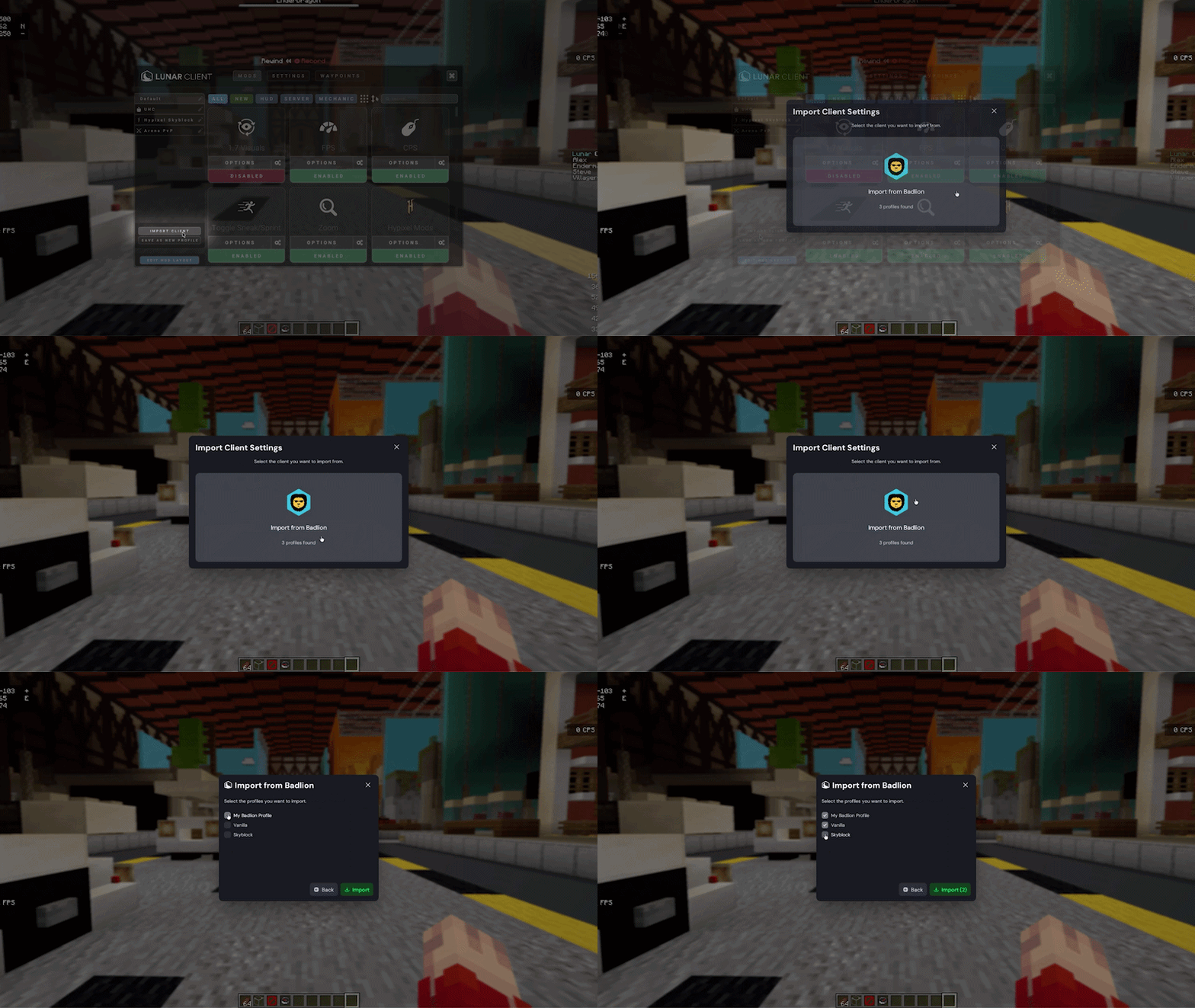
Whether you’re brand new to Lunar or someone who swaps between clients constantly, we’ve made switching your profiles over to Lunar a breeze. Just head into the mods menu, and you’ll now see a new “Import from Client” button near the bottom left. This feature will automatically detect other clients on your system, and allow you to convert any and all of your profiles to Lunar profiles. That means all of your HUDs, colors, settings, and everything else will be just about the same on Lunar Client, so long as there’s an existing counterpart on the client already. So, if you’ve been thinking about making the switch for awhile now, but don’t wanna deal with setting all of your mods back up, we’ve made it seamless to take some of that pain away.
Apollo Cosmetic Module: Emoting
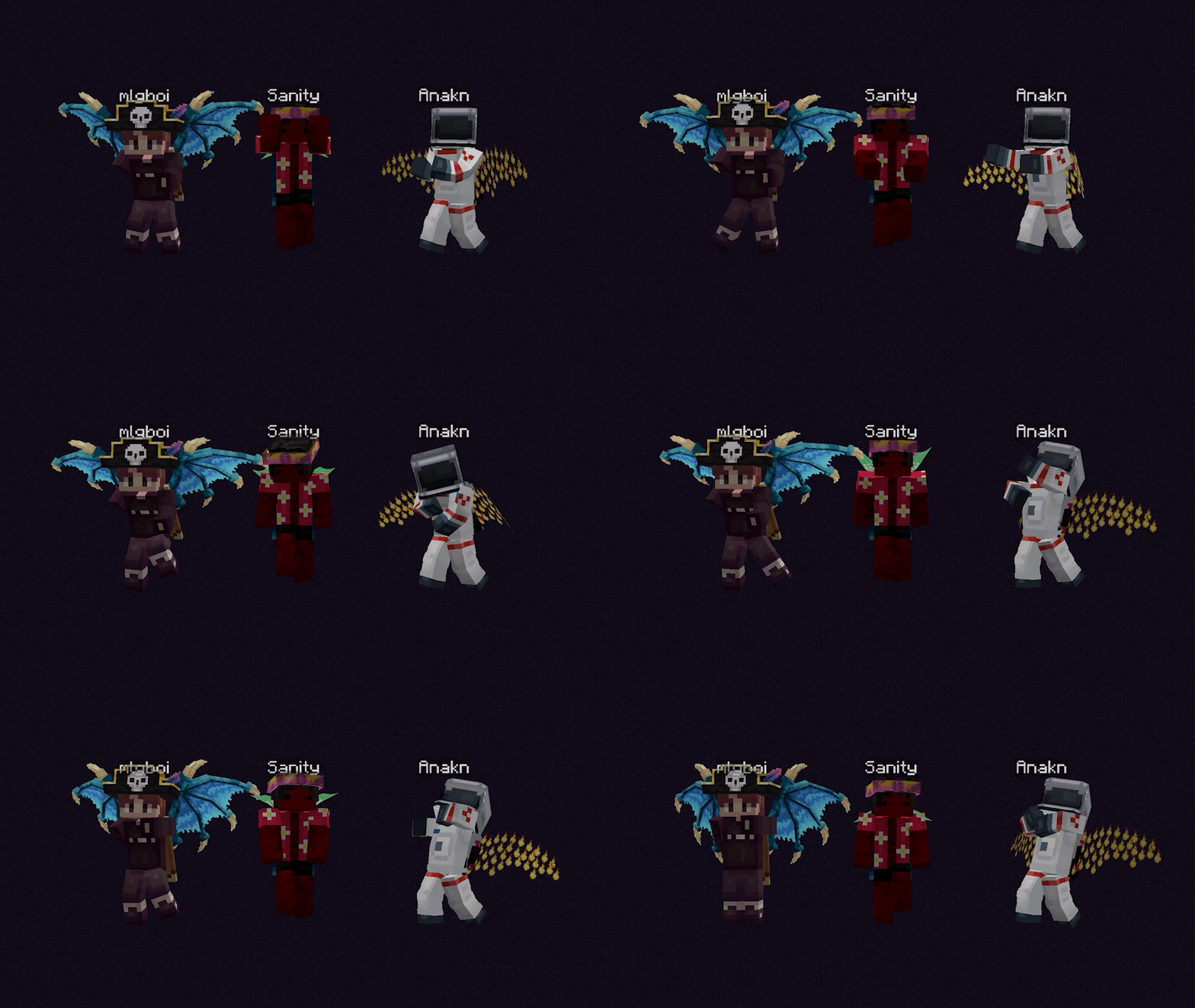
With our new Cosmetic Module that we released last month, the team went in to add the ability to play emotes on these NPCs as well. That means that any of our Server Owners who have been approved to use the Cosmetic Module can now showcase any emote in the client onto their NPCs, alongside any other cosmetic on the client. This would be great for our partnered owners who want to display their cosmetics with a little more pazazz, or even to show off a player’s own cosmetics with some fresh moves. Either way, this feature is now available within the Apollo API, and you can learn more about it by checking out our Developer Docs using the link on screen.
Shader Cloaks
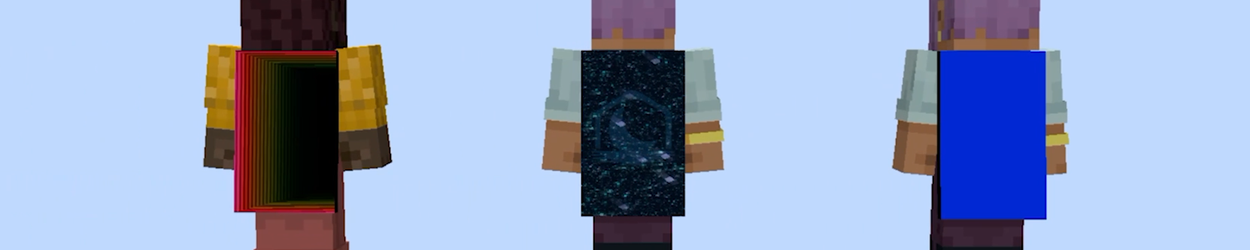
Our Cloaks recently received an update that will let us bring a little more versatility. With Shader Cloaks, we’re now able to apply custom shaders based on a player’s in-game position to a cloak, which will move with you. Our first shader cloak has also already been released, that being a new reactive cloak for Lunar+ Members. Depending on what plus you have equipped, your cloak will glow with that color as you move around. Here are a couple of our internal cosmetics which won’t be featured on our store, just to give you an idea of some more versatility now possible with cloaks, and we’re excited to work on some new ones to release onto the client.
Cosmetic Collections
To wrap up our Recap, we actually pushed out two cosmetic collections this month.
Prehistoric Collection
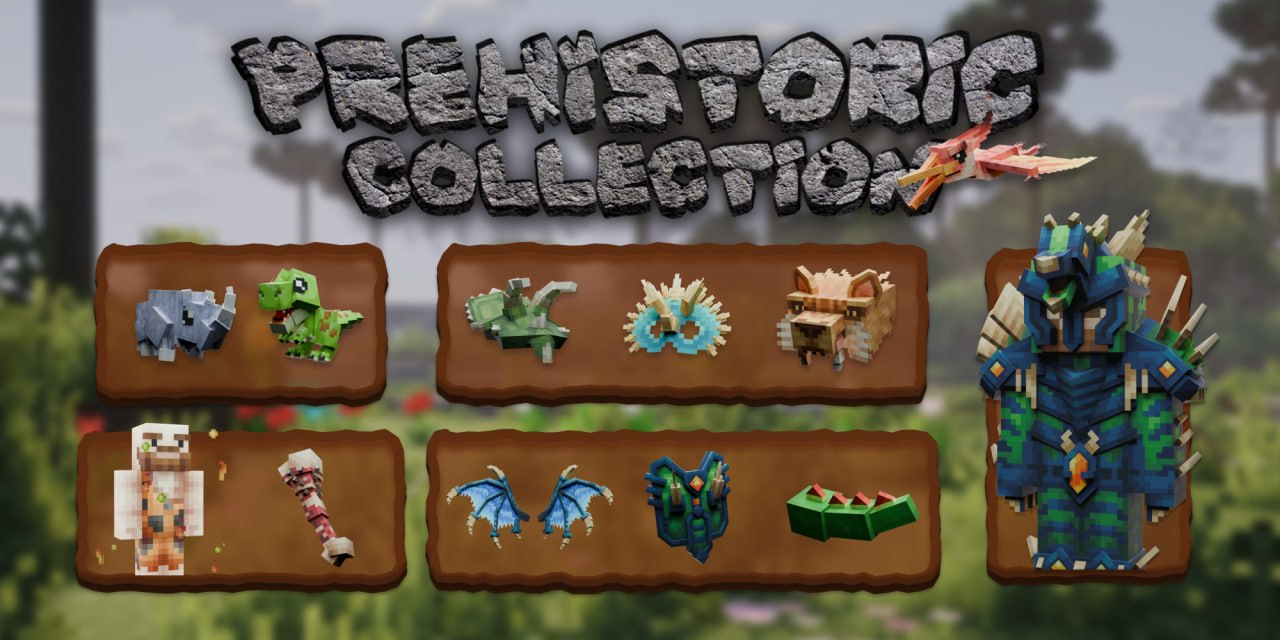
Climbing back from the Ancient Ruins, these dinos are ready to tear through anything you throw at them, with the collection featuring 34 different cosmetics such as these adorable pets, bodywear, cloaks, and more.
Futbol Collection
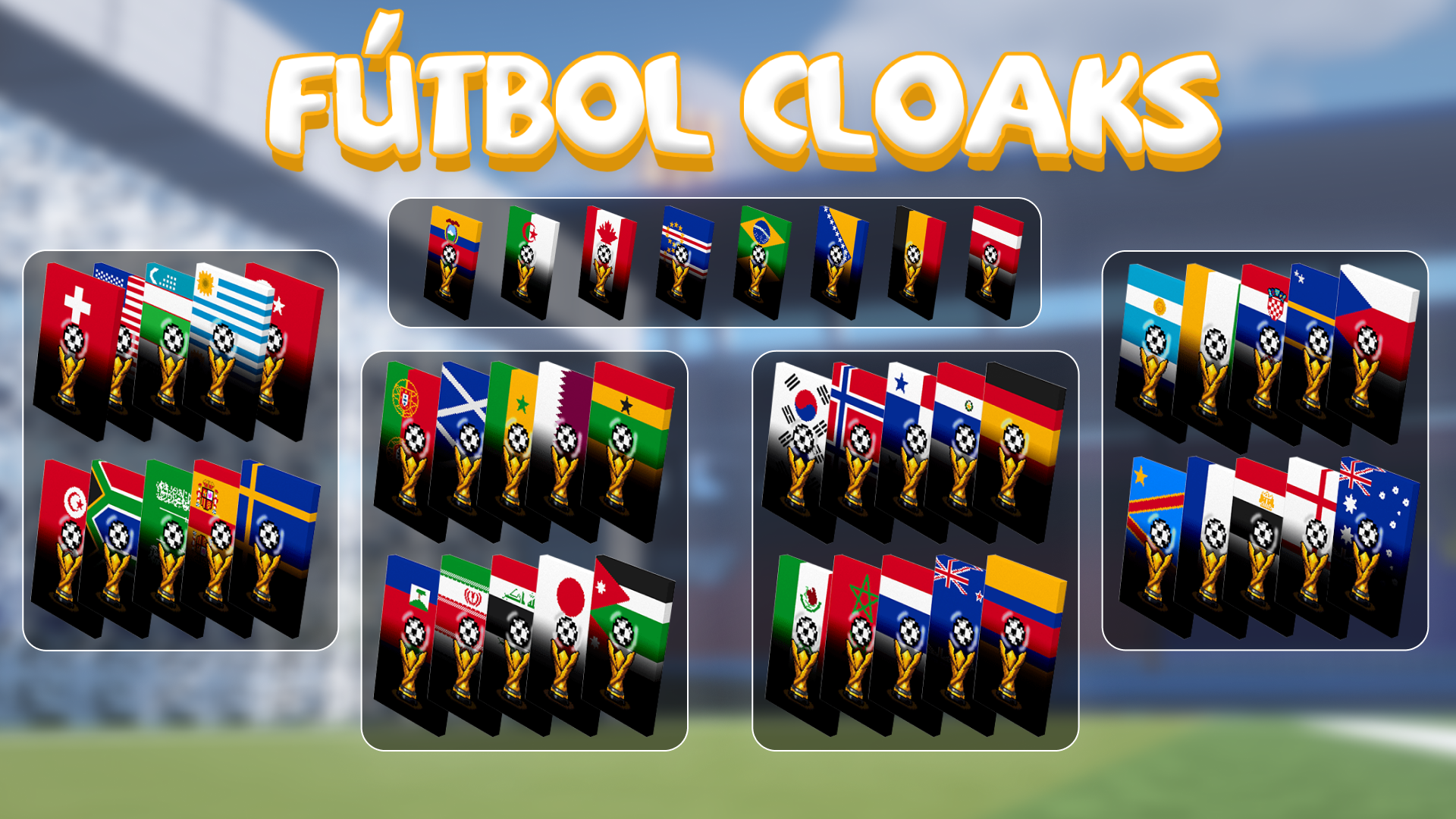
Just in time for the World Cup, with 48 cloaks for you to represent your country and push for the win, plus two new playful emotes for you to show off your crazy footwork.
As always, if you have any questions or are experiencing issues with your client, create a ticket on our Support Website or join the Lunar Client Discord server! If you are unsure of how to create a ticket, please view the Lunar Client Support Guide.