Lunar Client and Medal have teamed up to bring you an opportunity to earn a free cosmetic and the ability to record all of your best moments in-game. Curious about what Medal is and how you can obtain a free Lunar Client cosmetic? Continue reading below to find out! You can also check out the Lunar Client x Medal Website for further information.

What is Medal?
Medal is the #1 clipping and recording software for gamers. With Medal, you can seamlessly capture your best moments and share them with your friends on the fly. Not only does Medal allow you to easily record your gaming sessions, it also comes with tons of extra features so that you can get the most out of your captures. For instance, Medal contains a built-in editor so that you can easily trim and apply effects to your clips. Medal is also extremely versatile, working with all types of games—not just Minecraft! Furthermore, Medal is perfect for gamers using low-end computers; it will run effortlessly in the background, allowing you to record your games with the peace of mind that your performance will not be hindered.
You can check out the Medal Website for further information.
Claiming the Free Lunar Client Cosmetic
To claim your free Lunar Client cosmetic, simply follow these four steps. Note that this promotion is only available for new Medal users as well as those with Windows computers.
Step 1: Download Medal
Firstly, you’ll need to download and install Medal. Download the Medal installer from here, then make sure to run it to install the program. Note that Medal is only available on Windows, so if you’re using another operating system or platform, you will be unable to claim the free cosmetics.
Step 2: Start the Lunar Client x Medal Quest
Once you’ve downloaded and installed Medal, open the app, then navigate to the top bar and click on Quests.
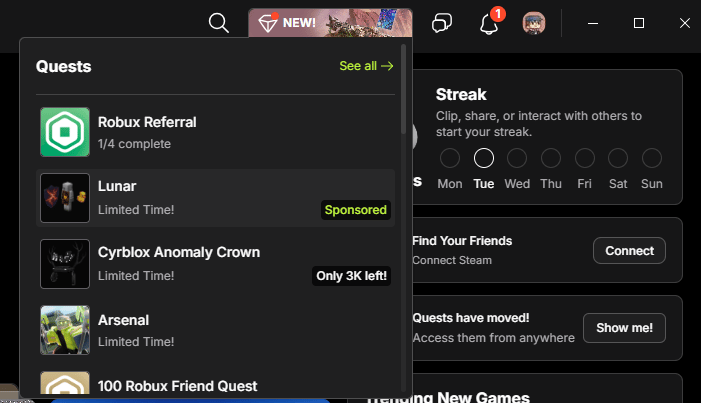
Finally, find and select the limited time Lunar quest from the different questions, then press Start Quest.
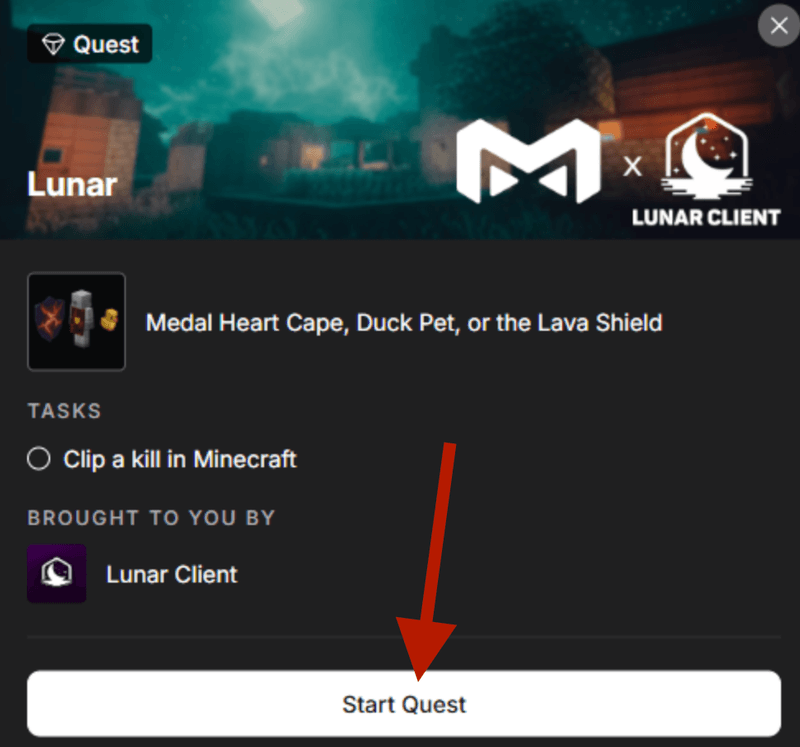
Step 3: Create a Clip
Now that you’ve started the quest, simply launch Lunar Client and clip something by pressing F8 in-game. Whether its an insane combo, a funny moment with friends, or a Bed Wars clutch, Medal is perfect for clipping all of your moments! After you’ve created your clip, post it to your Medal profile, then go back into the Quests bar. Enter your preferred Minecraft username for the cosmetic and click Submit.
Step 4: Claim your Reward on Lunar Client
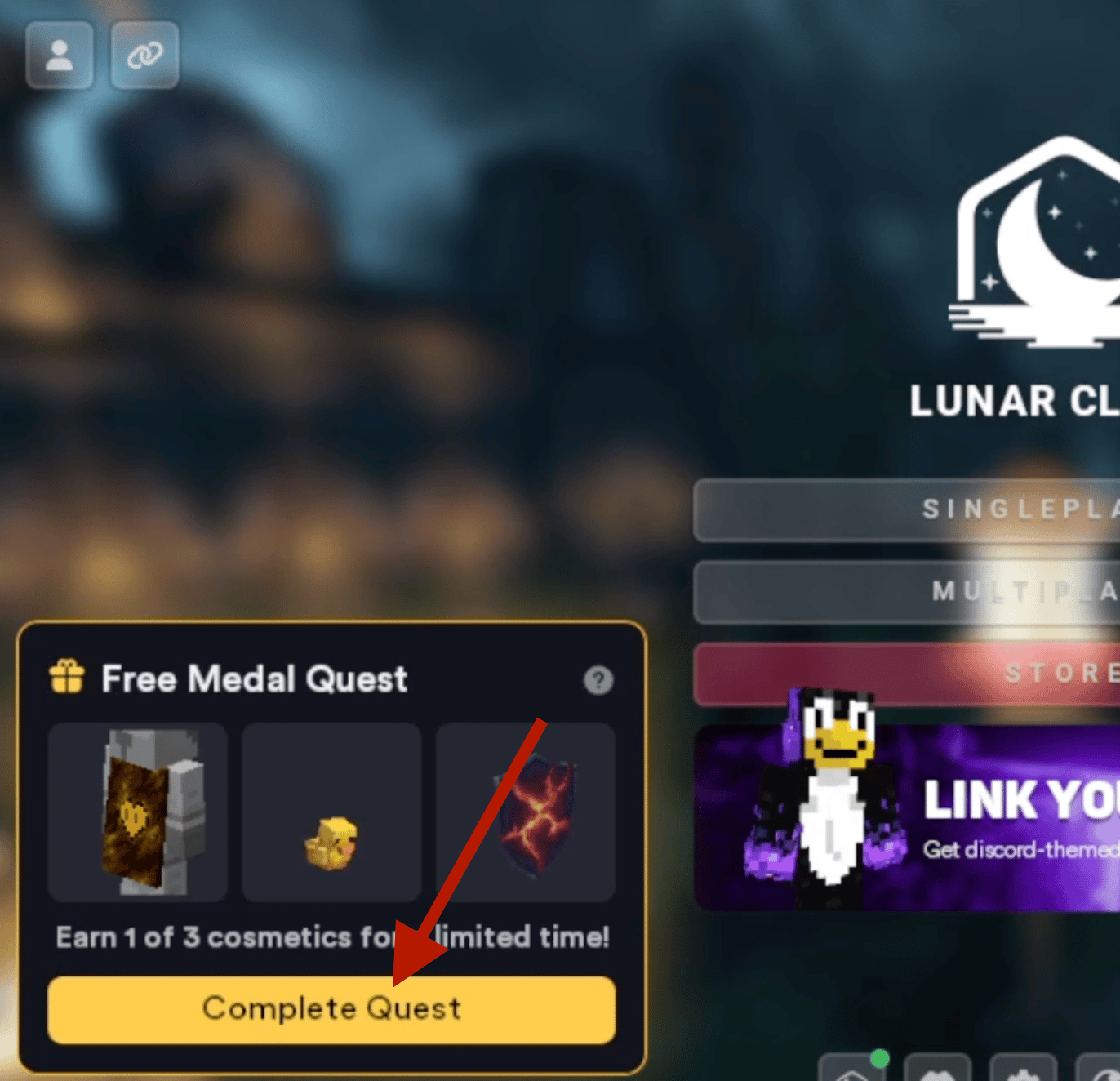
To claim your free Lunar Client cosmetic in-game, launch any version of Lunar Client, and then click on the Medal banner at the bottom left of the main menu. You’ll be able to select between three unique cosmetics: the Medal Heart Cloak, a Lava Shield, and a Duck pet.
If you have any questions or are experiencing issues with Lunar Client, create a ticket on our Support Website or join the Lunar Client Discord server! If you are unsure of how to create a ticket, please view the Lunar Client Support Guide.
